ZIDIO LEARNING - SaaS
Online Education SaaS Platform
Project Type
Product Design
Team
Drashti Patel
Sayana
Tom Ferdi Nalan
Project requirements
(01)
About Zidio Learning
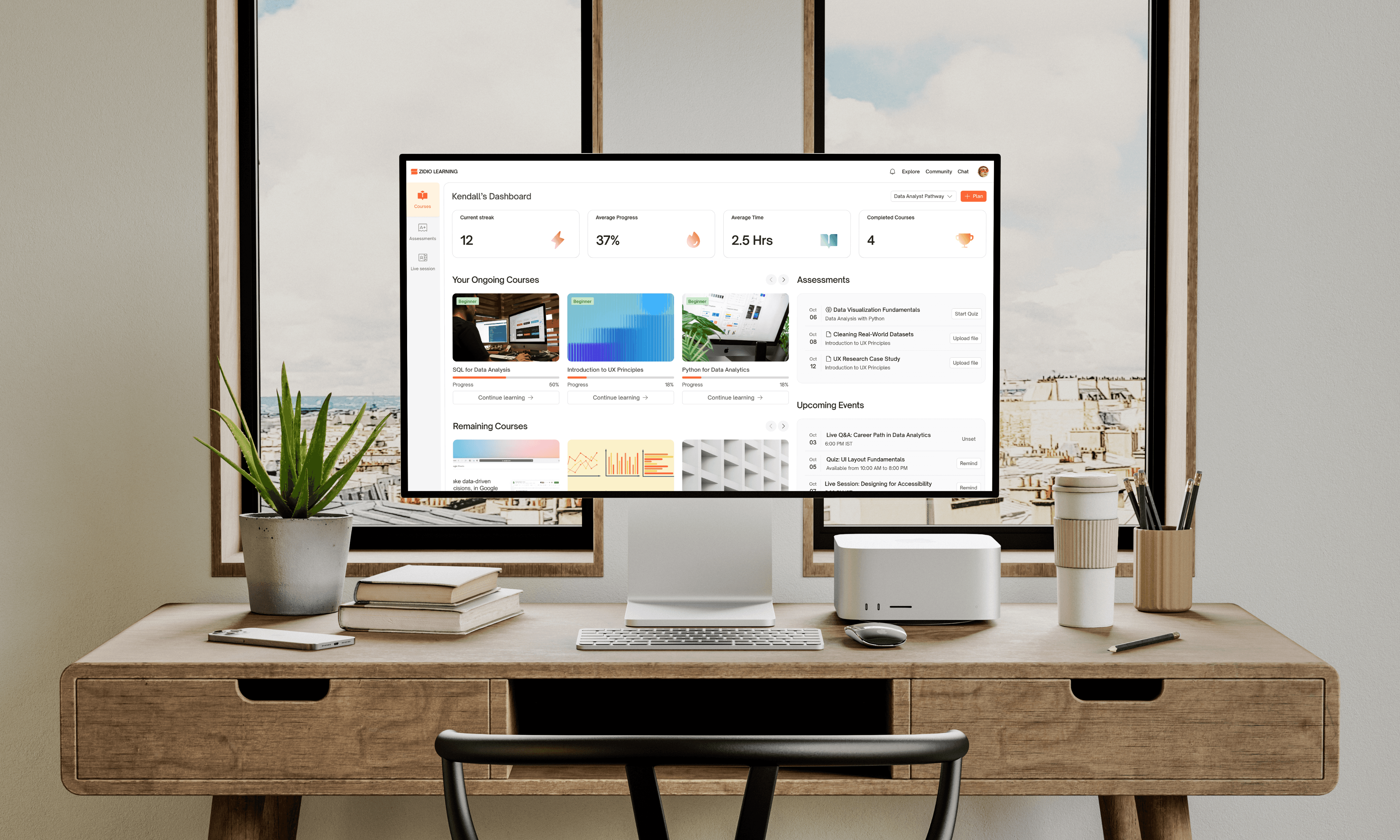
Zidio Learning Platform is an online education platform we developed for Zidio Development, a Bangalore-based tech company. Unlike generic learning platforms offering thousands of unrelated courses, Zidio focuses exclusively on three high-demand tech domains: Data Analytics, UI/UX Design, and Frontend Development.
The platform serves two primary user groups:
Learners
who want to gain tech skills, earn certifications, and launch or advance their careers
Tutors
who want to teach, share expertise, and sell courses to a targeted audience
Challenge
During our research, we identified critical challenges facing online learning platforms:
No clear direction:
Learners don't know which courses to take or in what order to reach their career goals
Low completion rates:
Only 10-15% of online learners complete their courses, leading to frustration and wasted time
Tutor struggles:
97% of course creators struggle with marketing and managing multiple tools
Goals
Our goal was to create a learning platform that solves these problems by:
Providing adaptive learning paths that guide learners toward specific career goals
Increasing course completion rates through gamification and progress tracking
Building community features that reduce isolation and increase engagement
Simplifying course creation for tutors with an all-in-one platform
Establish credibility through ratings, reviews, and recognized certificates
Research user
(02)
Hypothesis
We developed the following hypotheses during the user research stage for the Zidio Learning Platform, based on industry data and competitive analysis insights.
Implementing adaptive learning paths that allow learners to create personalized skill roadmaps aligned with their career goals will increase course completion rates from the industry average of 15% to 45% within a 60-day period.
Integrating a community space where learners can interact with peers and tutors will improve student engagement by 35% and reduce course abandonment rates by 30% within a 90-day period.
Adding gamification elements (badges and daily streaks) will increase daily active users by 40% and improve learning consistency, with 60% of users maintaining a 7-day learning streak within the first month.
Research methods
To understand user behaviors, preferences, and pain points, we employed multiple qualitative and quantitative UX research methods.
Secondary Research
Reviewed industry reports on online learning trends and completion rates
Analyzed user reviews from existing platforms to identify pain points
MoSCoW Prioritization Analysis
Categorized features based on user needs and project constraints
Prioritized adaptive learning paths, offline access, and community as Must-Haves
Competitive Analysis
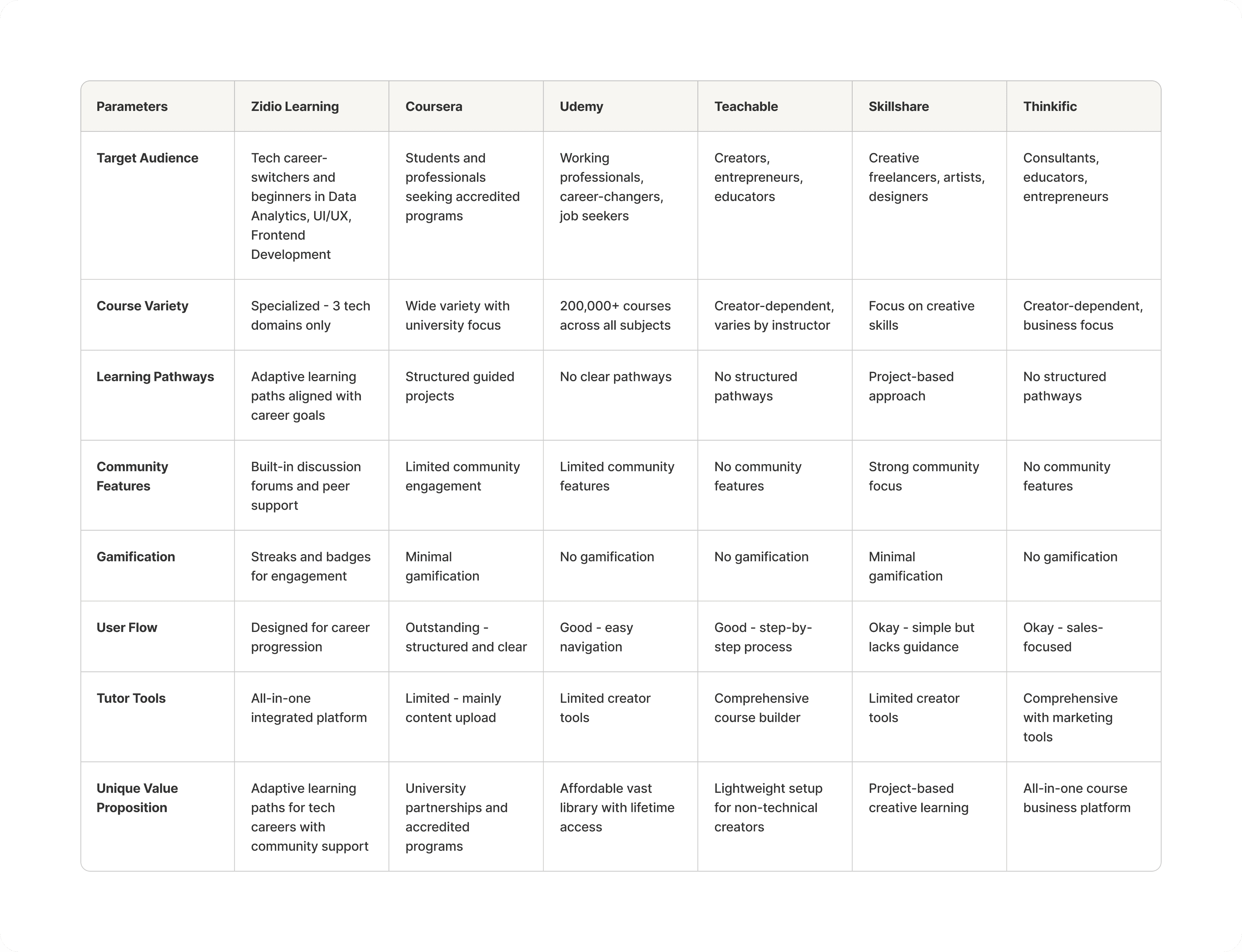
Analyzed five major platforms: Coursera, Udemy, Teachable, Skillshare, and Thinkific
Key finding: None combined clear career pathways with active community and simple tutor tools
Key findings
Based on data we gathered, the following key insights emerged:
Career-focused pathways matter more than course variety-learners want direction, not options
Community support significantly reduces isolation and dropout rates
Visual progress tracking increases motivation and completion by showing tangible advancement
Gamification creates daily habits-streaks and badges provide motivation to return
97% struggle with marketing despite having excellent teaching skills
User personas
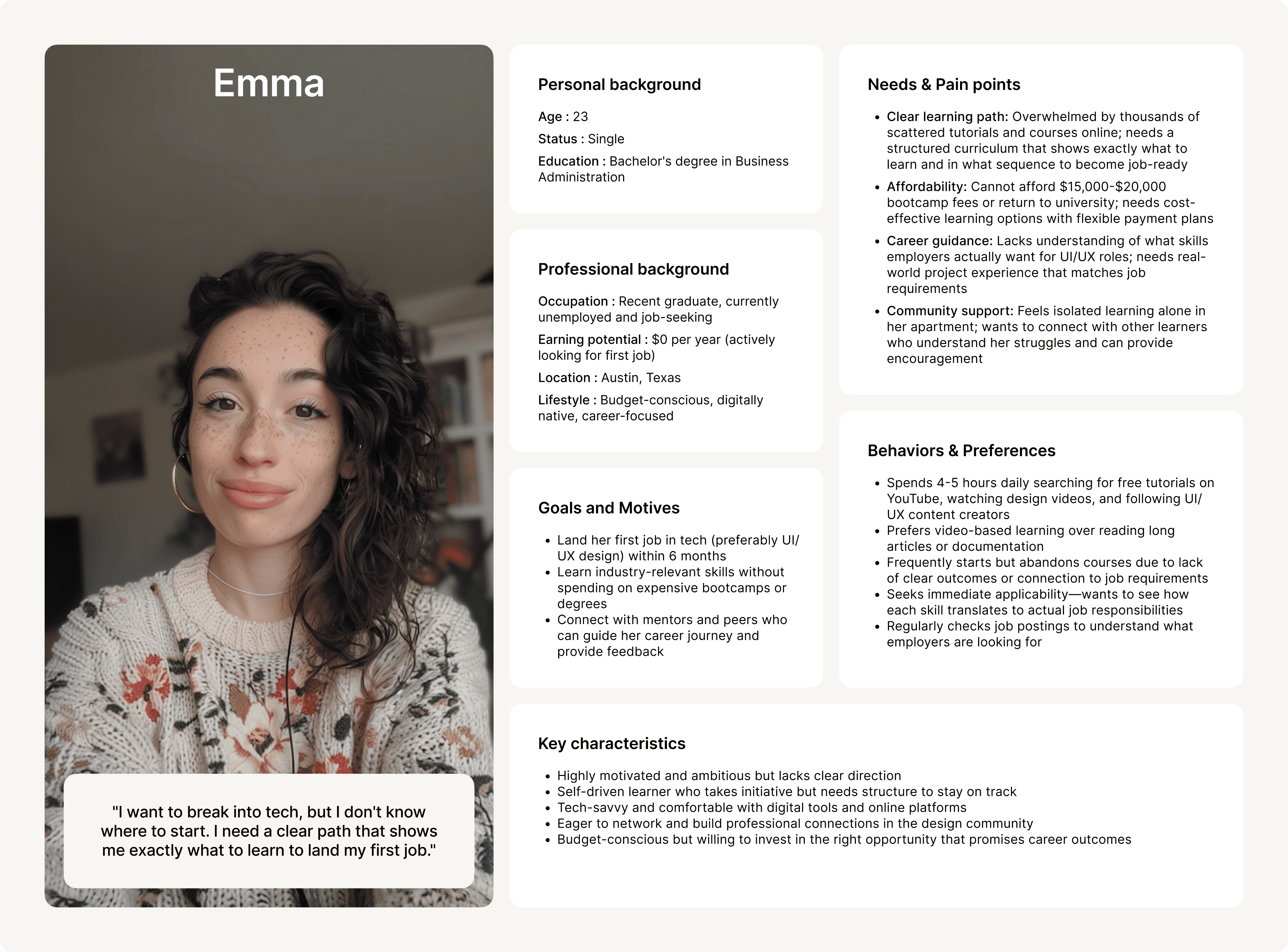
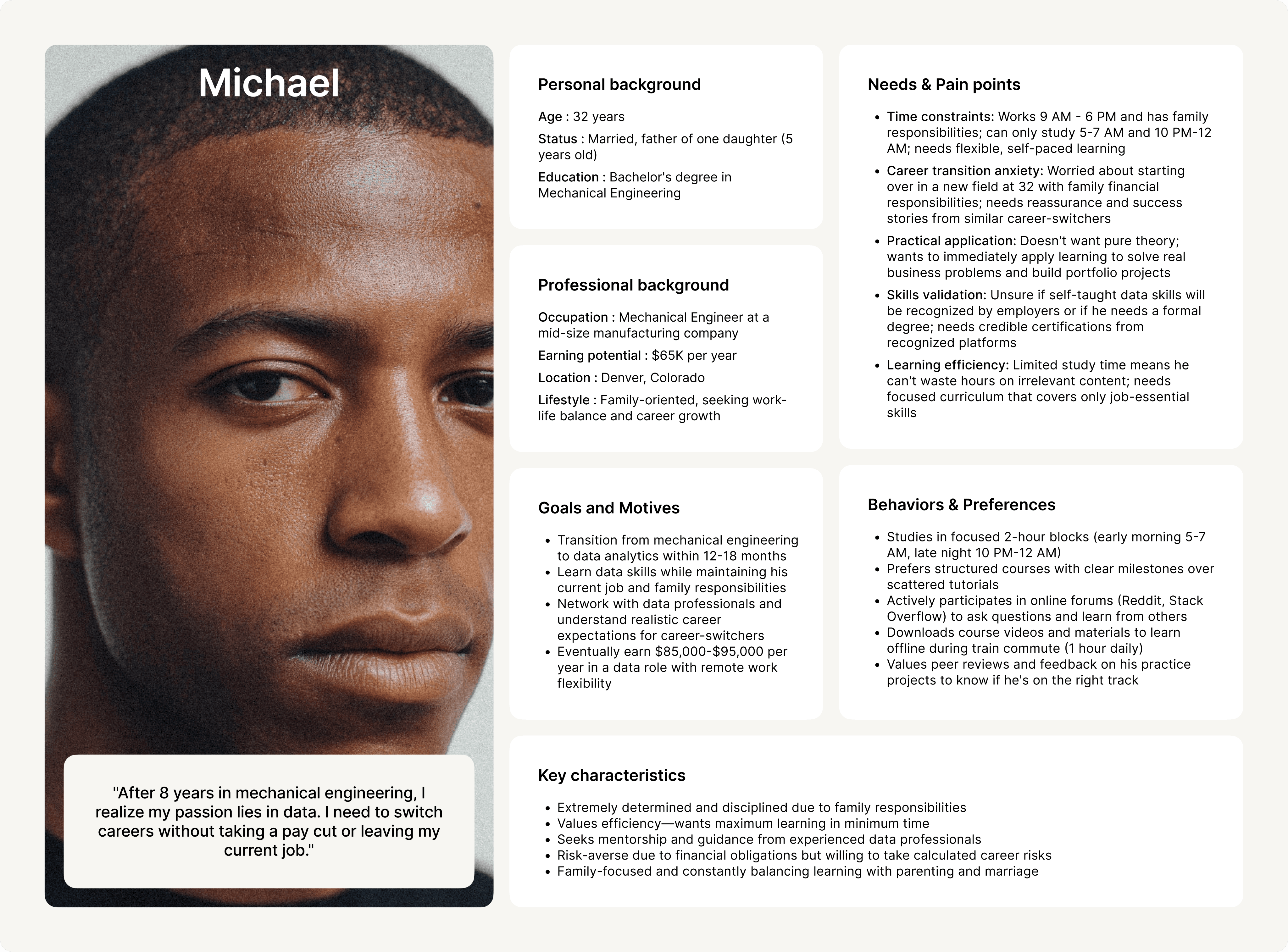
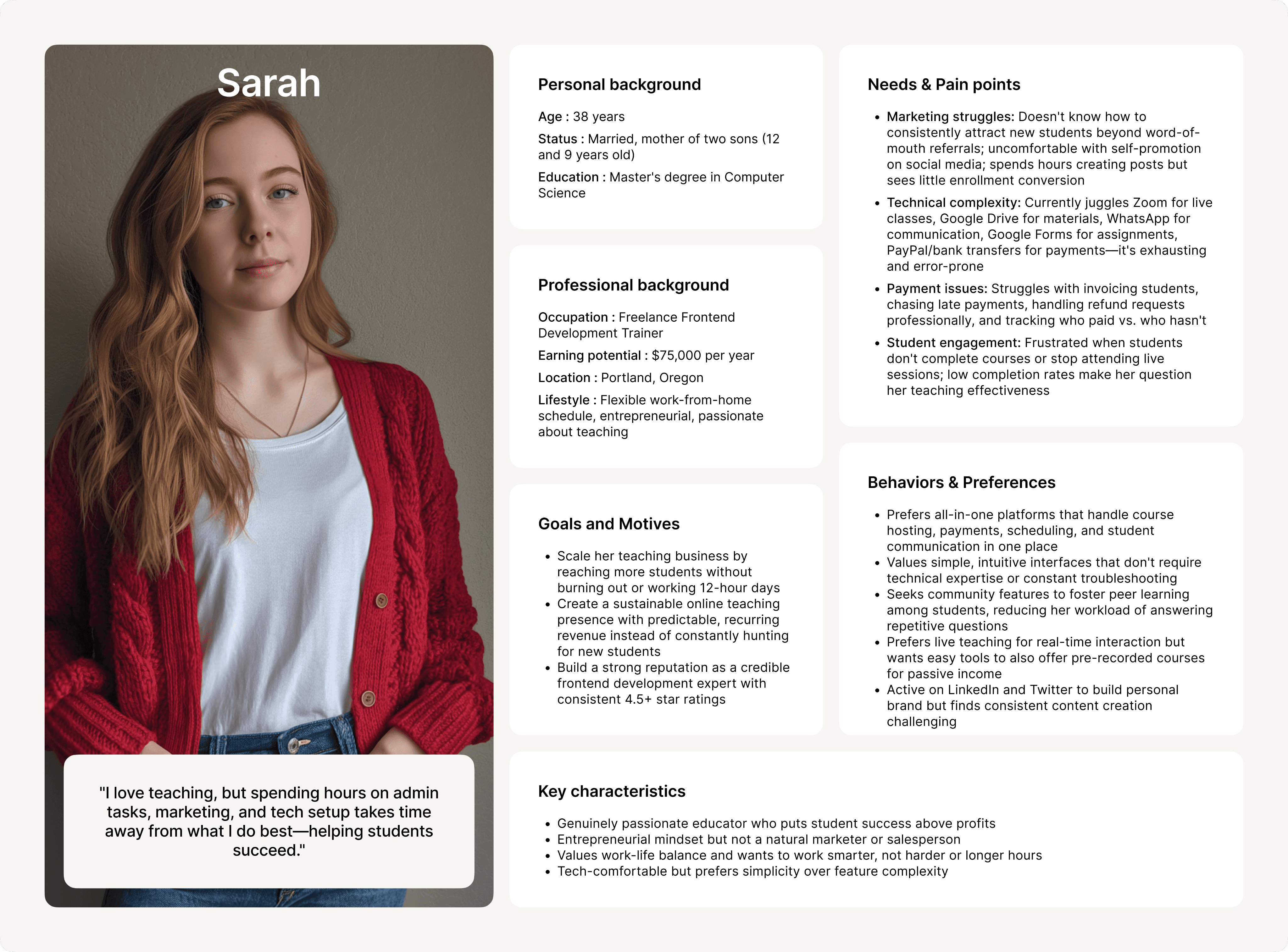
Based on our research, we created three user personas representing our target users: Career-Starter Emma and Career-Switcher Michael (learners), and Freelance Educator Sarah (tutor). These personas helped us understand different user needs and prioritize features accordingly.
While all three personas informed our design decisions, I chose to focus primarily on Emma's journey throughout this case study, as she represents the core learner experience and our platform's key differentiator-the adaptive learning path feature.
Research competitors
(03)
Competitors
We analyzed five major competitors in the online learning space to identify gaps and opportunities for differentiation. Our goal was to understand what existing platforms do well and where they fall short in serving learners and tutors.
SWOT Analysis
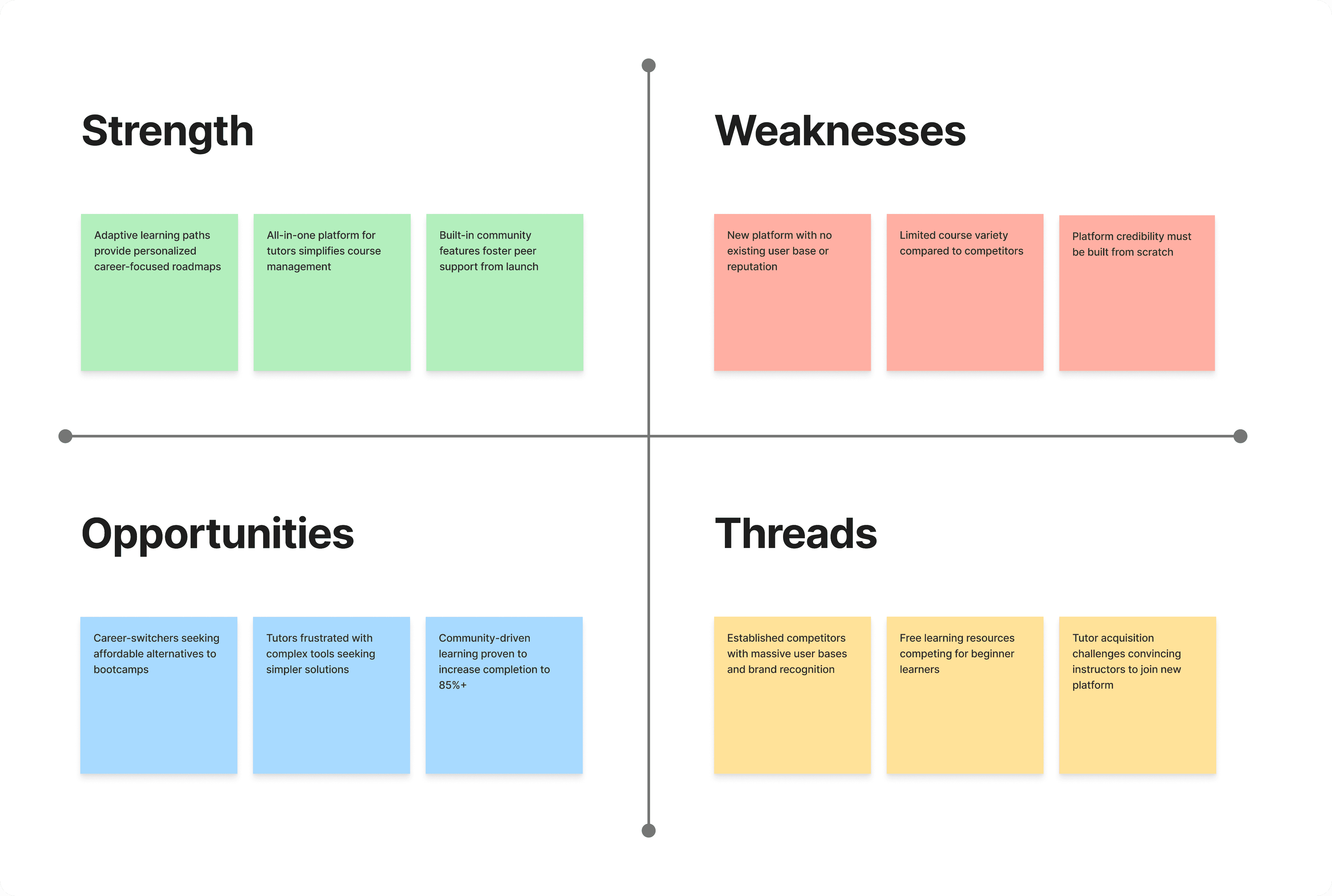
We gained the following insights from our SWOT analysis for the Zidio Learning Platform.
User stories & Solution sketches
(04)
User story
To truly understand what our users needed, we developed detailed user stories for our three personas. These stories helped us prioritize features and design solutions that address real user goals.
Emma's Stories: Finding Her Path
I chose to focus on Emma's journey as she represents our platform's key differentiator-the adaptive learning path feature. Her needs for clear direction, community support, and career guidance drove our core design decisions.
Discovering New Courses
As a career-starter looking to break into UI/UX design, I want to easily browse and filter courses by skill level (beginner, intermediate, advanced) so that I can find courses appropriate for my current knowledge level and avoid feeling overwhelmed.
Adaptive Learning Paths
As an ambitious learner with a specific career goal, I want to create a personalized learning pathway titled "UI/UX Designer for Mobile Apps" that shows me exactly which courses to take in order, so I can see a clear roadmap from beginner to job-ready professional.
Tracking Progress and Skills
As a motivated learner, I want to see a visual representation of my skill development with percentage completion for each skill (e.g., User Research 60%, Wireframing 40%, Prototyping 20%), so I can understand what I've learned and what I still need to master.
Engaging with the Community
As a learner who feels isolated studying alone, I want to join discussion forums specific to UI/UX design where I can ask questions, share my work, and get feedback from peers and tutors, so I feel supported and connected throughout my learning journey.
We also created user stories for Michael (career-switcher) and Sarah (tutor) to ensure the platform serves all user types, but Emma's journey represents the primary learner experience documented in this case study.
User journey
To understand Emma's complete experience with the platform, we mapped her journey from initial discovery to becoming an active learner. This journey map helped us identify key touchpoints, emotions, and opportunities for design intervention.
Emma's Goal: Create a personalized learning path for UI/UX design and start her first course.
Through this journey mapping, we identified critical moments where Emma needed support: when feeling overwhelmed by choices (solved by learning path creator), when doubting her progress (solved by visual skill progression), and when feeling isolated (solved by community features). These insights directly shaped our feature prioritization and interface design.
User flow
Based on Emma's journey, we created a detailed user flow showing her path through the platform to achieve her goal of creating a learning path and enrolling in her first course. This flow helped us identify all the pages, decision points, and interactions needed to support her experience.
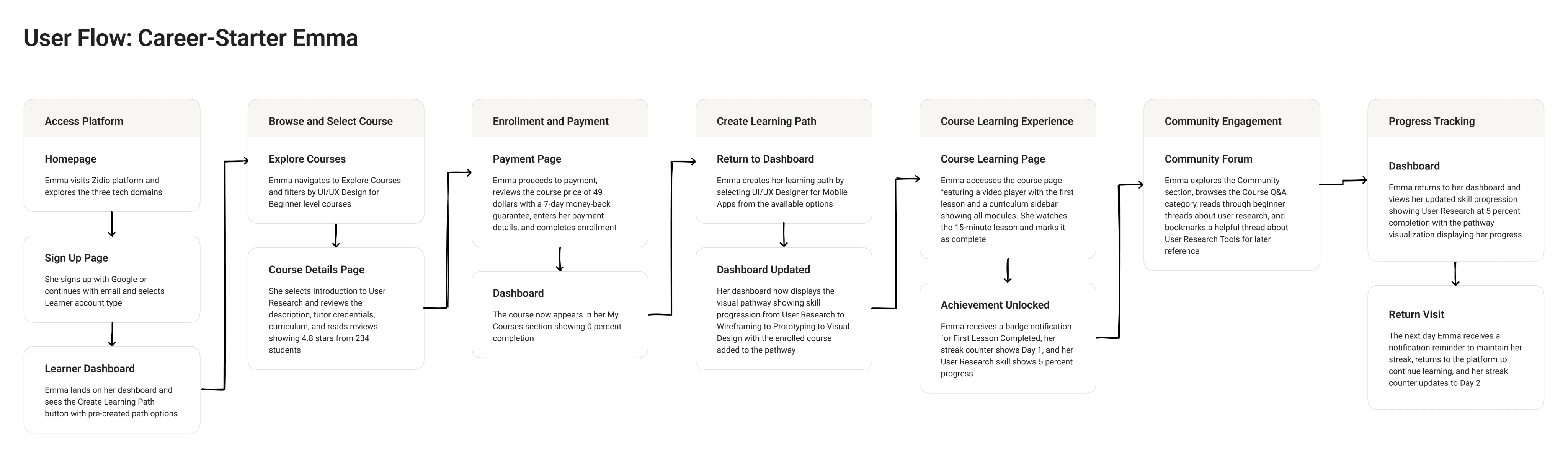
This user flow validated our navigation structure and helped us ensure Emma could move seamlessly from discovering the platform to actively learning, with minimal friction at each step.
IA & Wireframes
(05)
Information Architecture
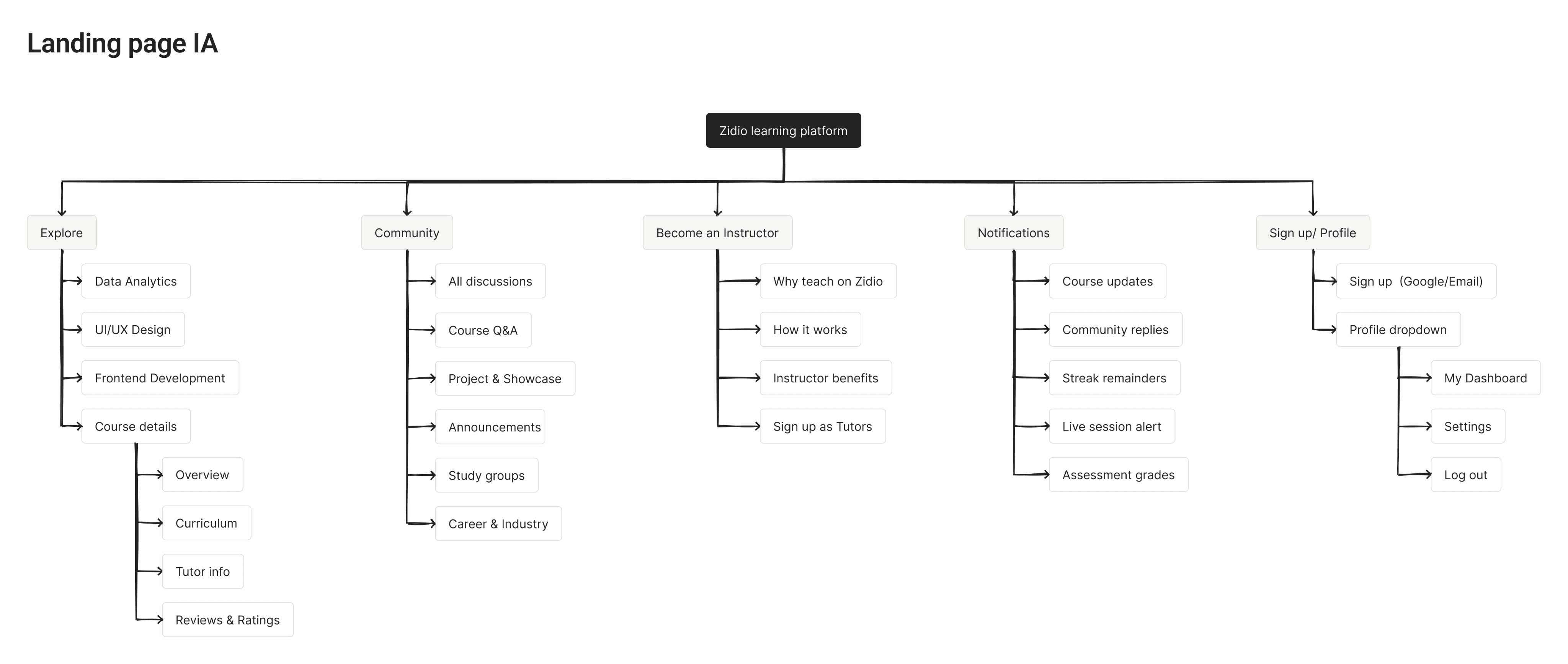
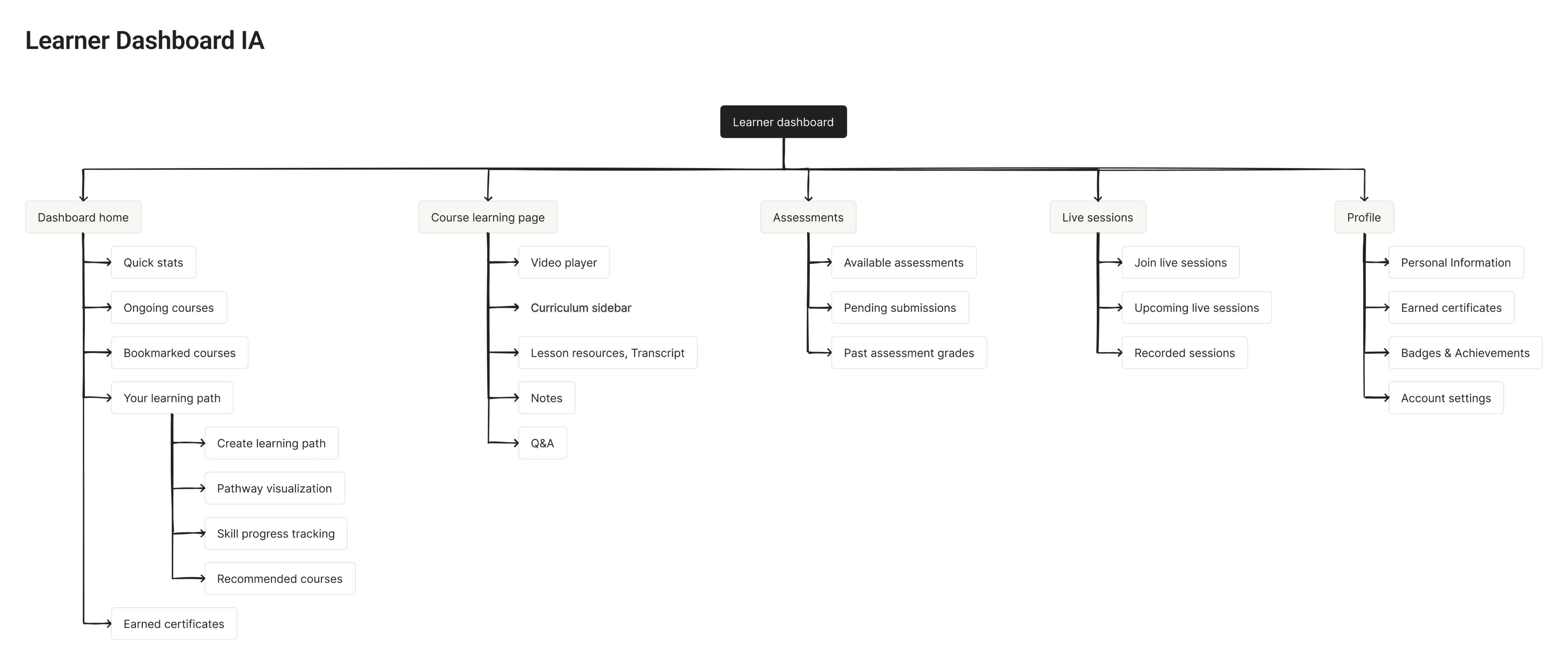
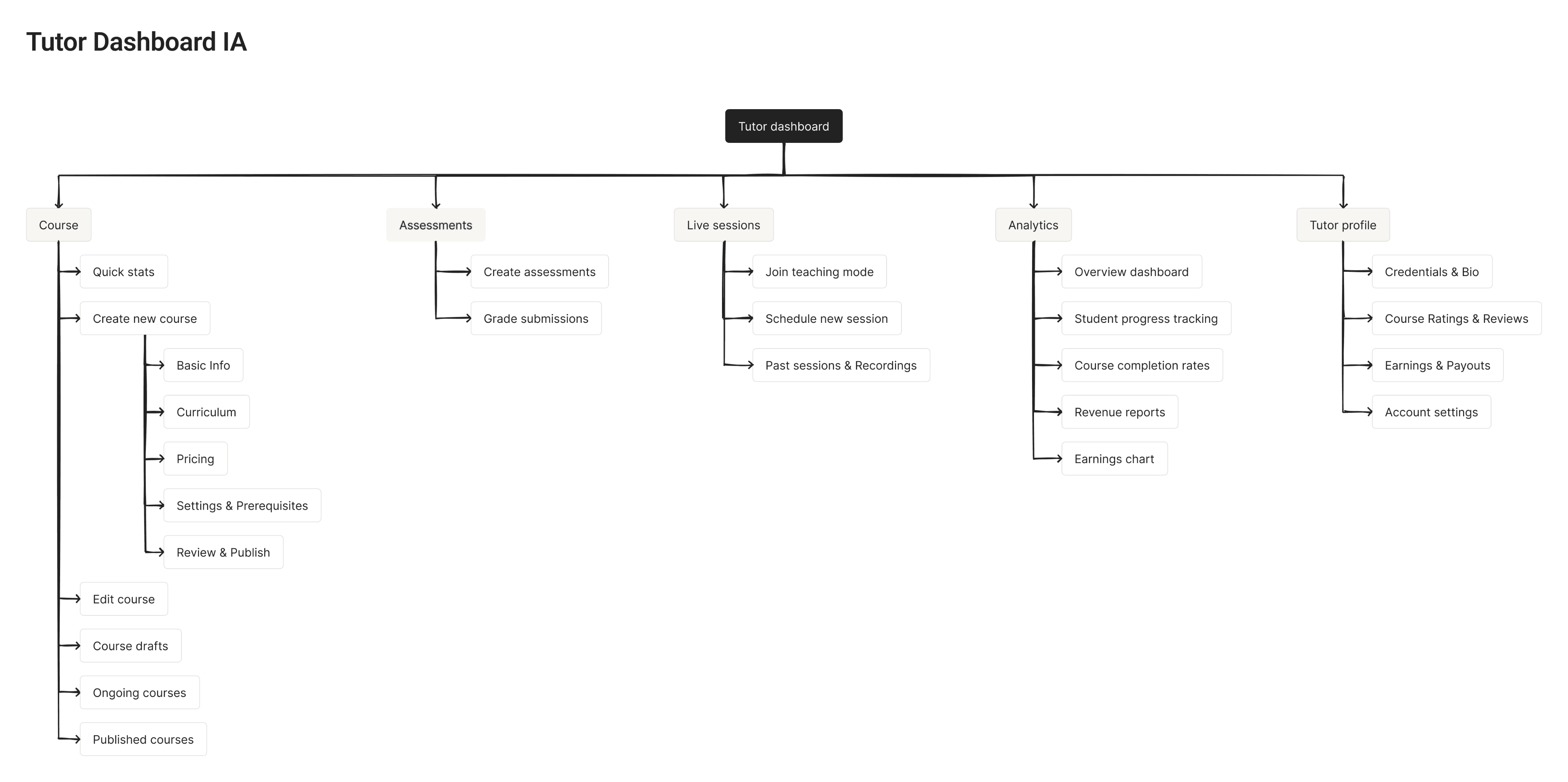
Based on insights from our user research, we created a comprehensive information architecture for the Zidio Learning Platform. The IA organizes all content and features into logical groupings for both learners and tutors.
We structured the platform into three main areas: the public-facing landing page, the learner dashboard with all learning features, and the tutor dashboard with course management tools.
Site map
Using the finalized information architecture, I created sitemaps showing how different users navigate through the platform to achieve their goals. These sitemaps visualize the actual user journeys and validate our navigation structure.
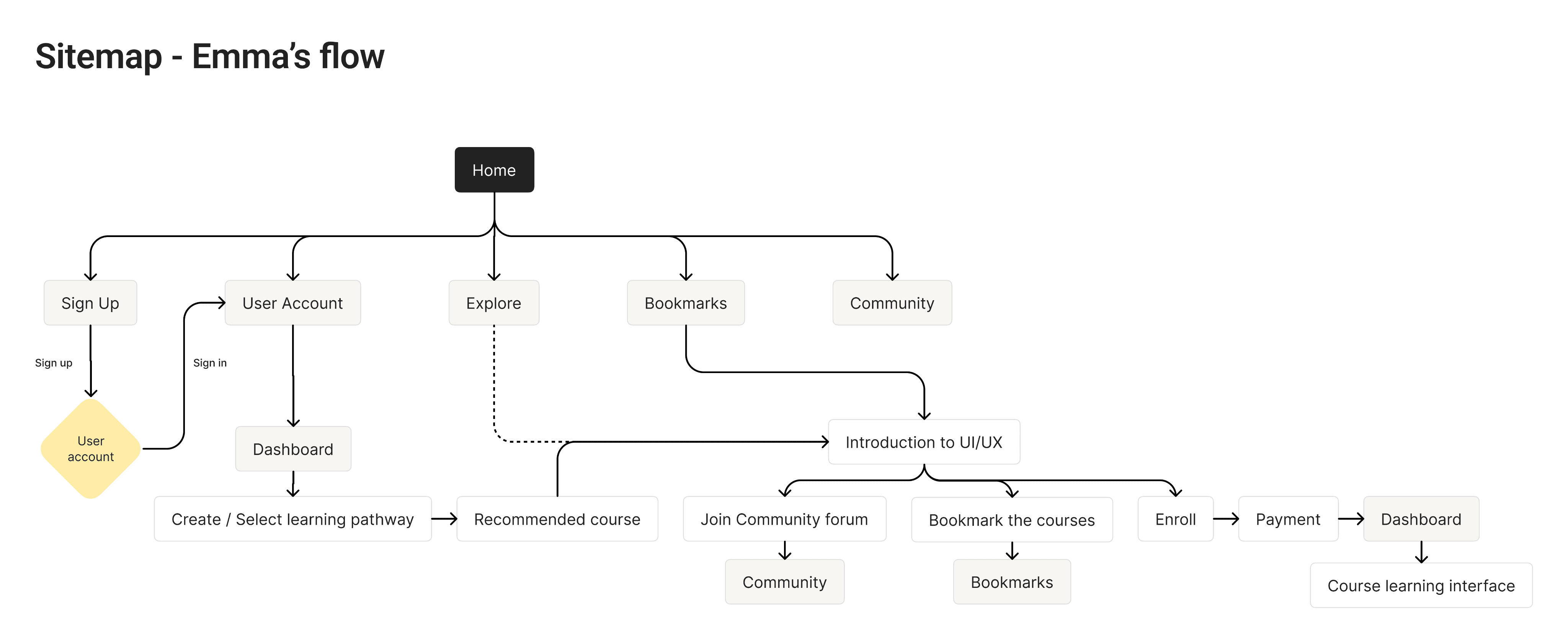
This sitemap shows Emma's journey from discovering the platform to actively learning. Her path emphasizes the adaptive learning path feature-our key differentiator that provides personalized course recommendations based on career goals.
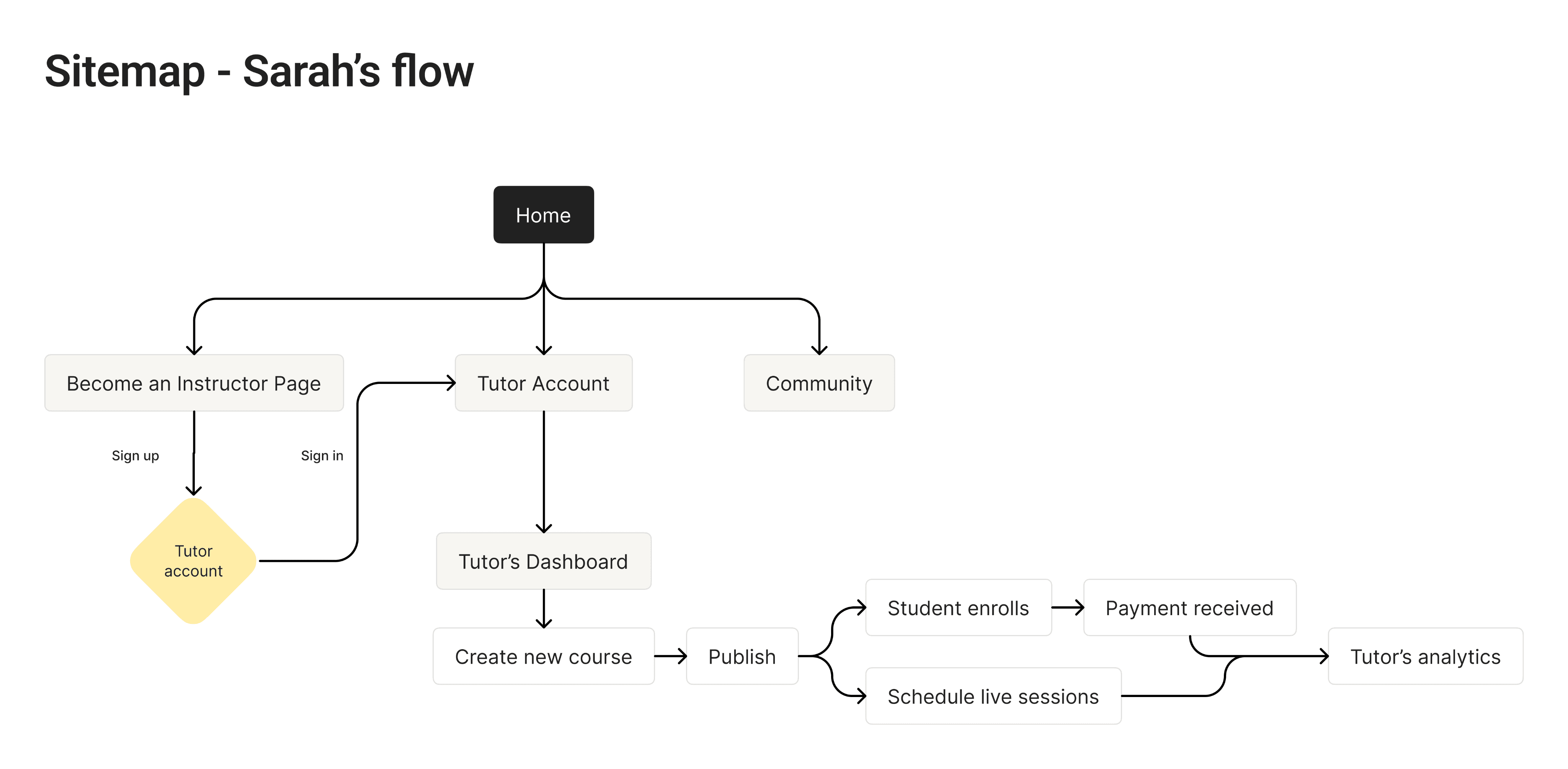
This sitemap shows Sarah's journey as a tutor, from signing up to creating her first course, receiving payment, and teaching live sessions. This flow demonstrates how we simplified the course creation and business management experience for educators.
Wireframes
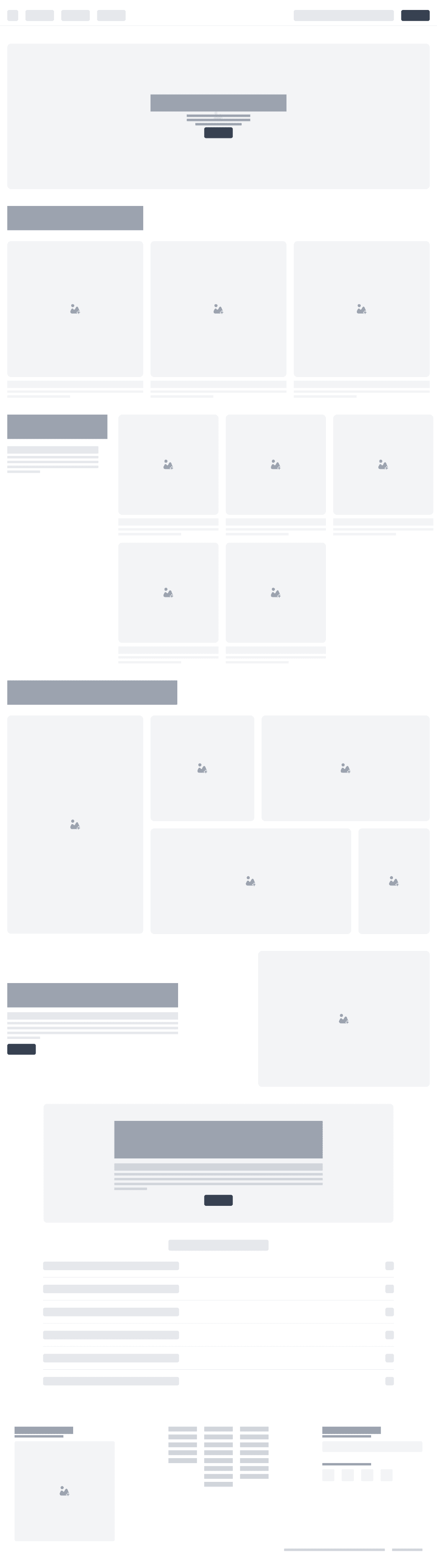
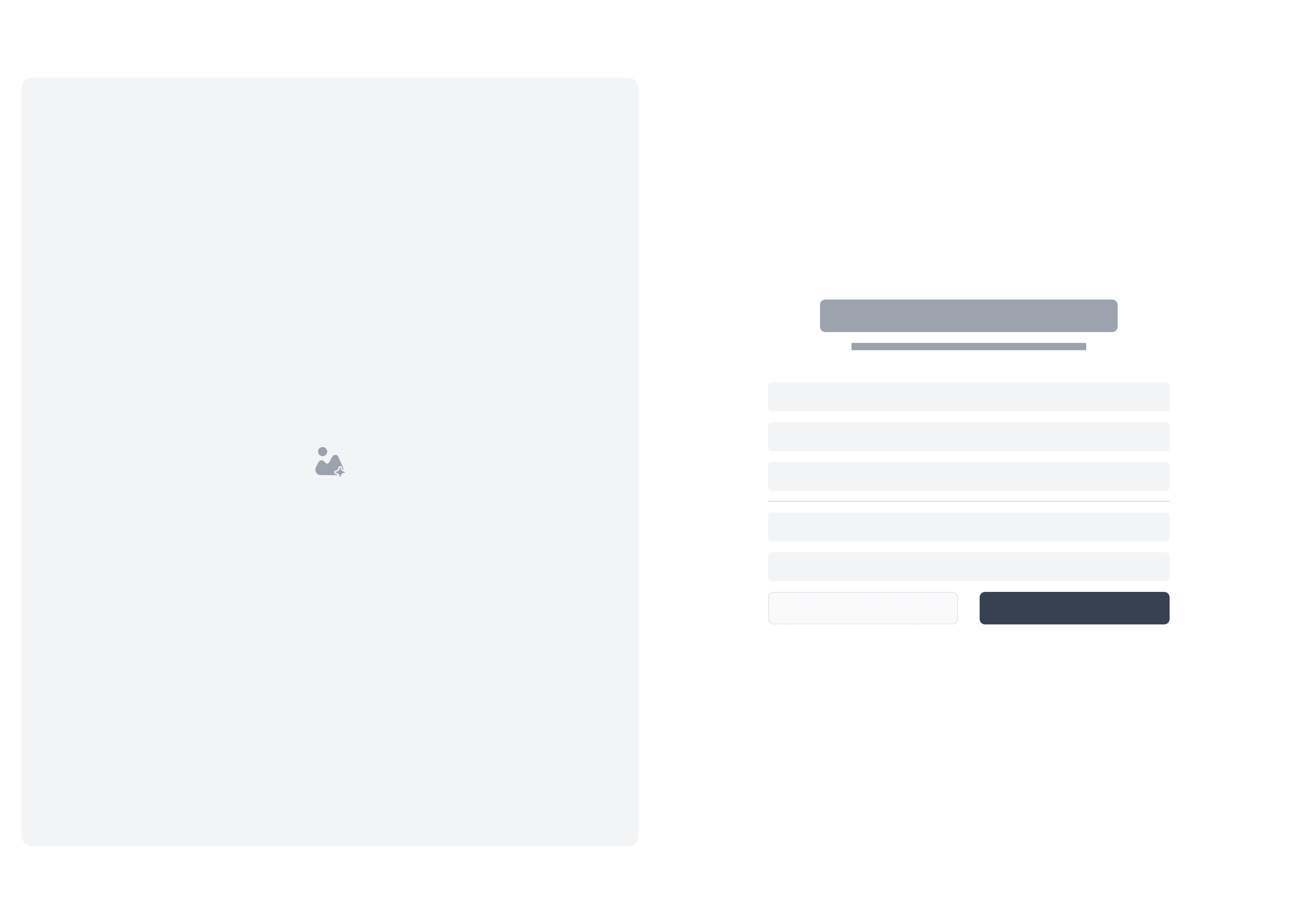
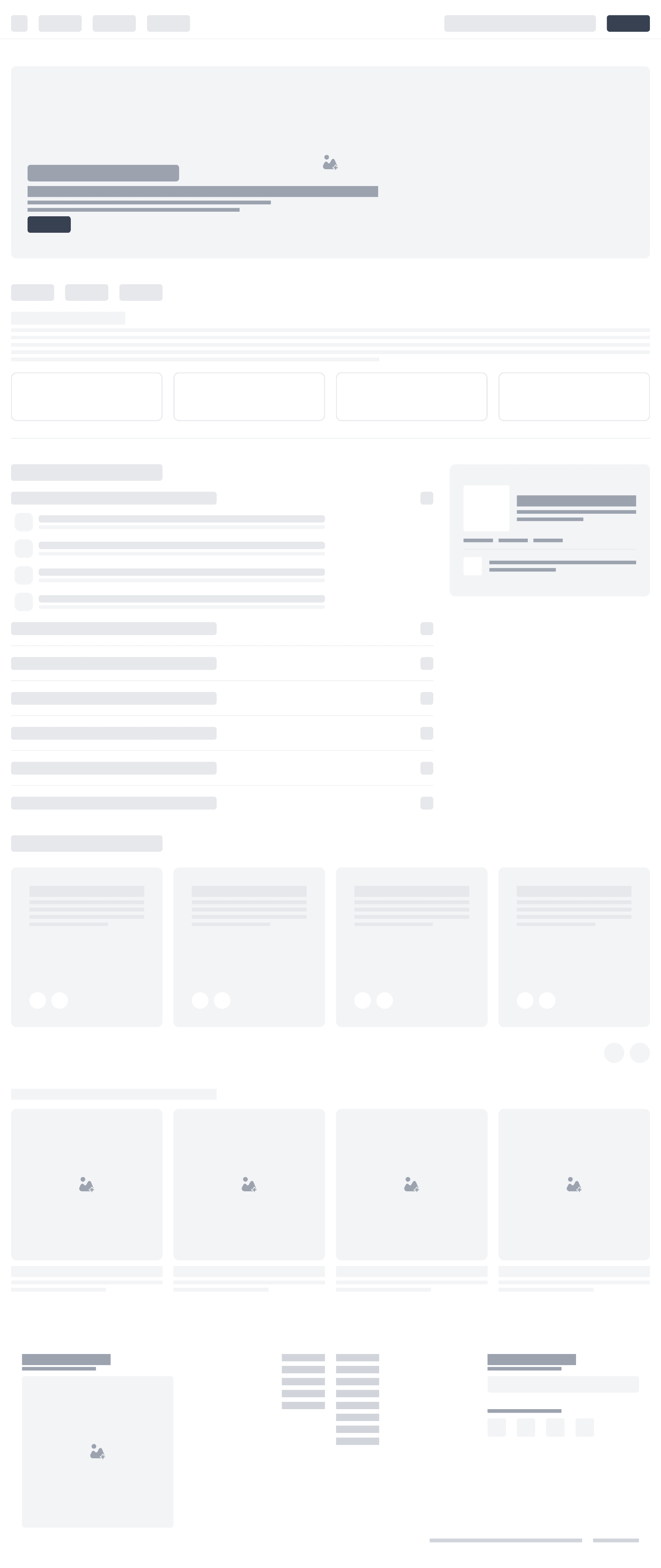
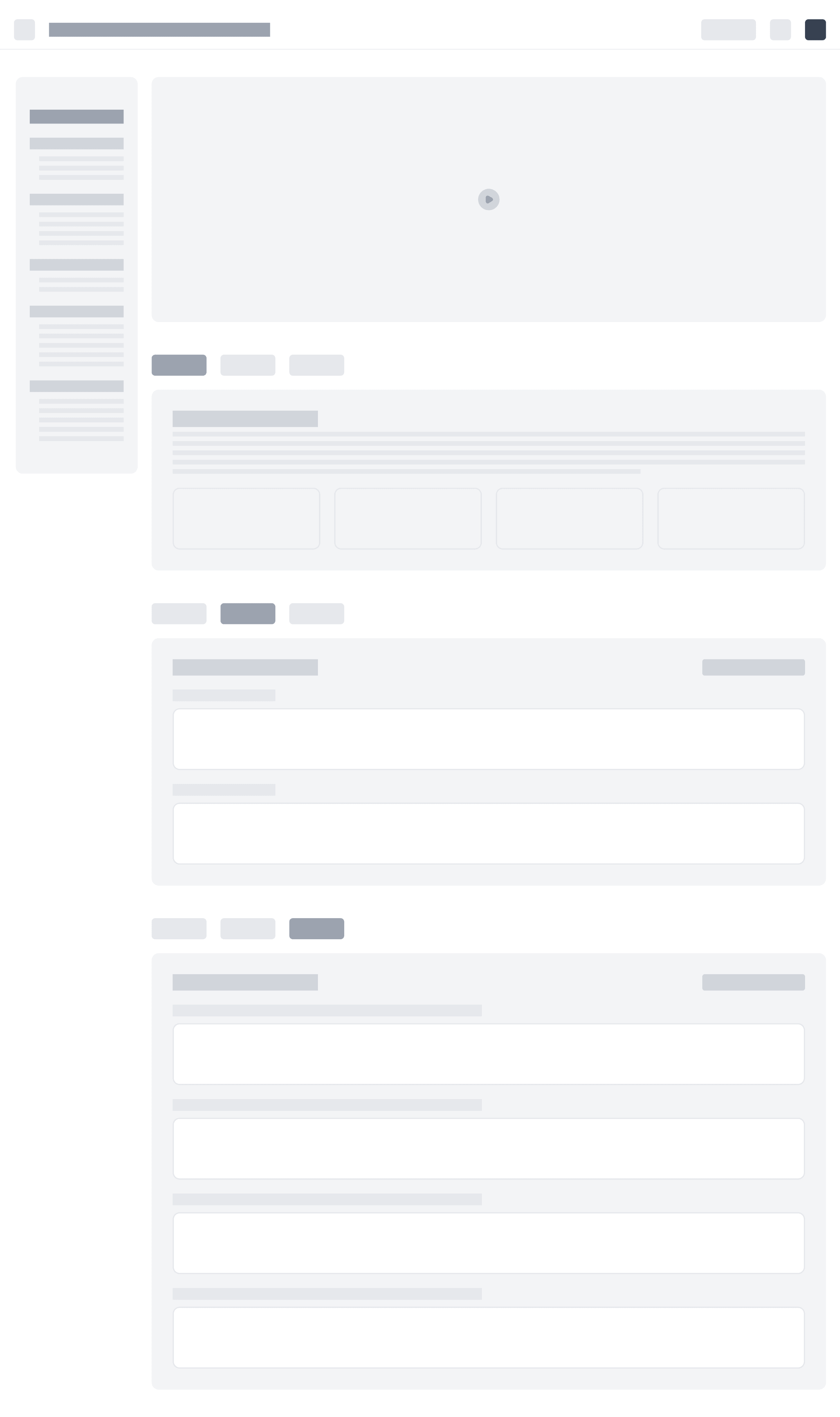
The following are the low-fidelity (low-fi) paper wireframes for the Zidio Learning Platform. These initial sketches helped us explore different layout options and interaction patterns for key user flows.

Prototypes
(06)
Accessibility Considerations
While working on the UI design, we considered the following accessibility guidelines to provide an inclusive experience for all users:
Color and Contrast
Ensure sufficient contrast between text and background colors for users with low vision
The primary brand colors (orange for learners, teal for tutors) with white text do not meet WCAG AA contrast standards. This was a deliberate brand identity decision, mitigated through larger button sizes, clear labeling, and iconography alongside text
Color-Coding Strategy
Orange serves as the primary accent for learner interfaces, while teal distinguishes tutor interfaces
This color-coding helps users immediately recognize which mode they're in and reinforces the platform's dual-sided marketplace model
Typography and Navigation
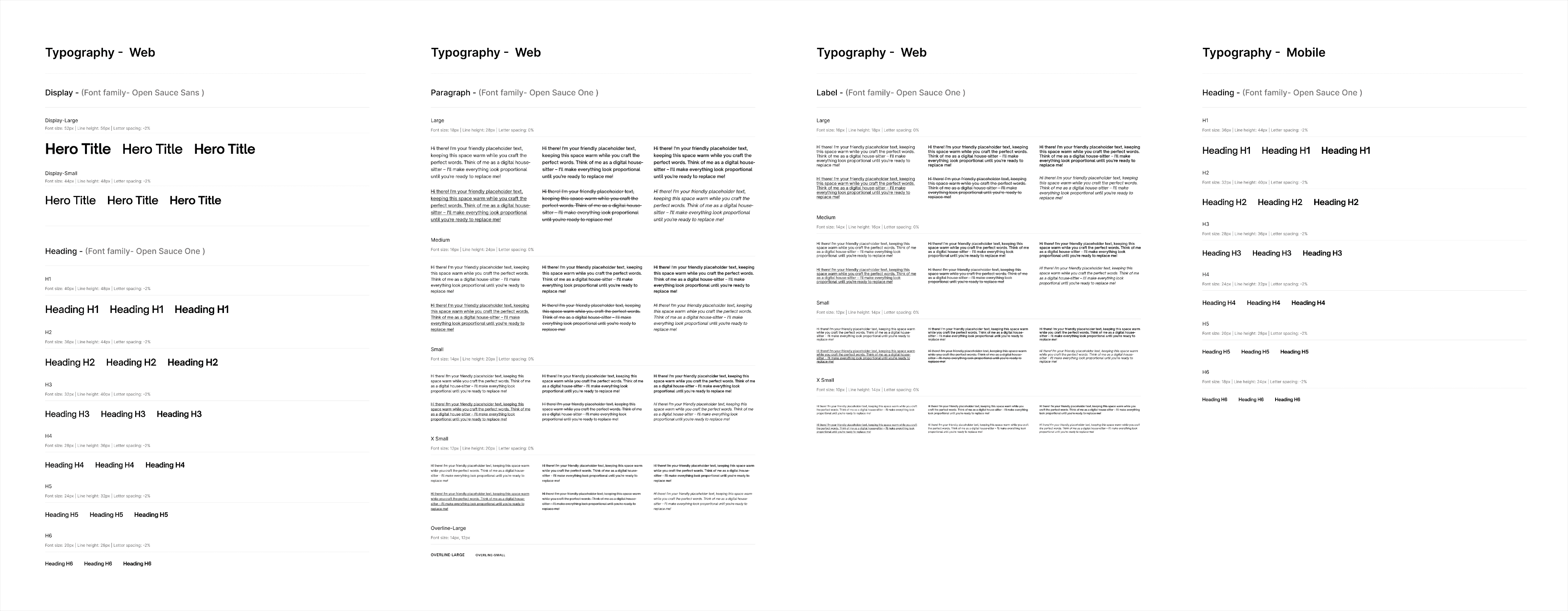
Use legible fonts (Open Sauce One) with clear type hierarchy from H1 to H6
Design clear and consistent navigation structure across all pages
Ensure all interactive elements can be accessed via keyboard
Design system
Before creating high-fidelity designs, we established a comprehensive design system to ensure consistency across all interfaces.
Typography System
We use Open Sauce One font family across all interfaces, with distinct type scales optimized for web and mobile viewing experiences. The typography hierarchy ensures clear content structure and readability.
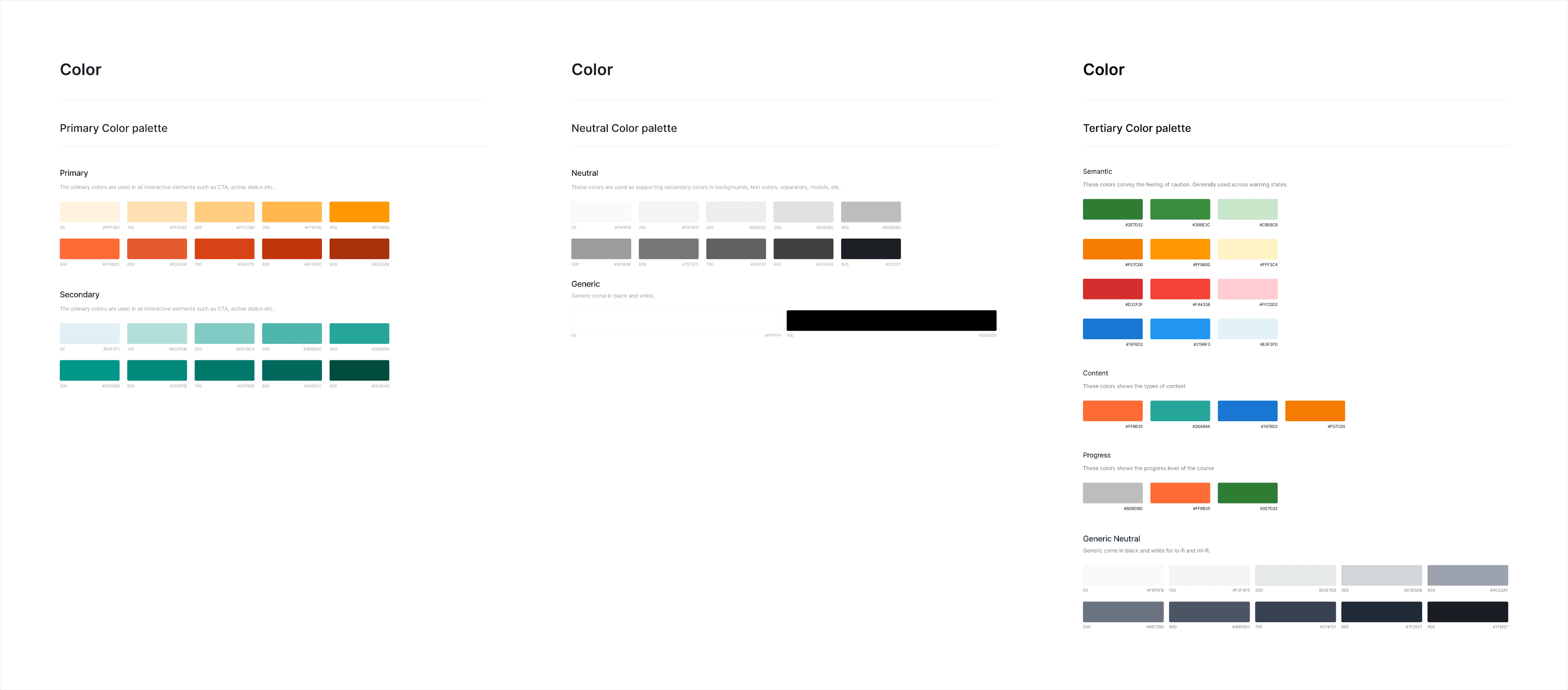
Color System
The color palette is strategically designed to differentiate user types while maintaining visual consistency:
Primary Orange: Used for learner interfaces, calls-to-action, and progress indicators
Secondary Teal: Used for tutor interfaces, distinguishing instructor-facing features
Neutral Grays: Provide foundation for content hierarchy and UI backgrounds
Tertiary Colors: Support semantic meanings (success, warning, error states)
This dual-color approach creates immediate visual recognition, helping users understand which platform mode they're in.
Final Prototypes
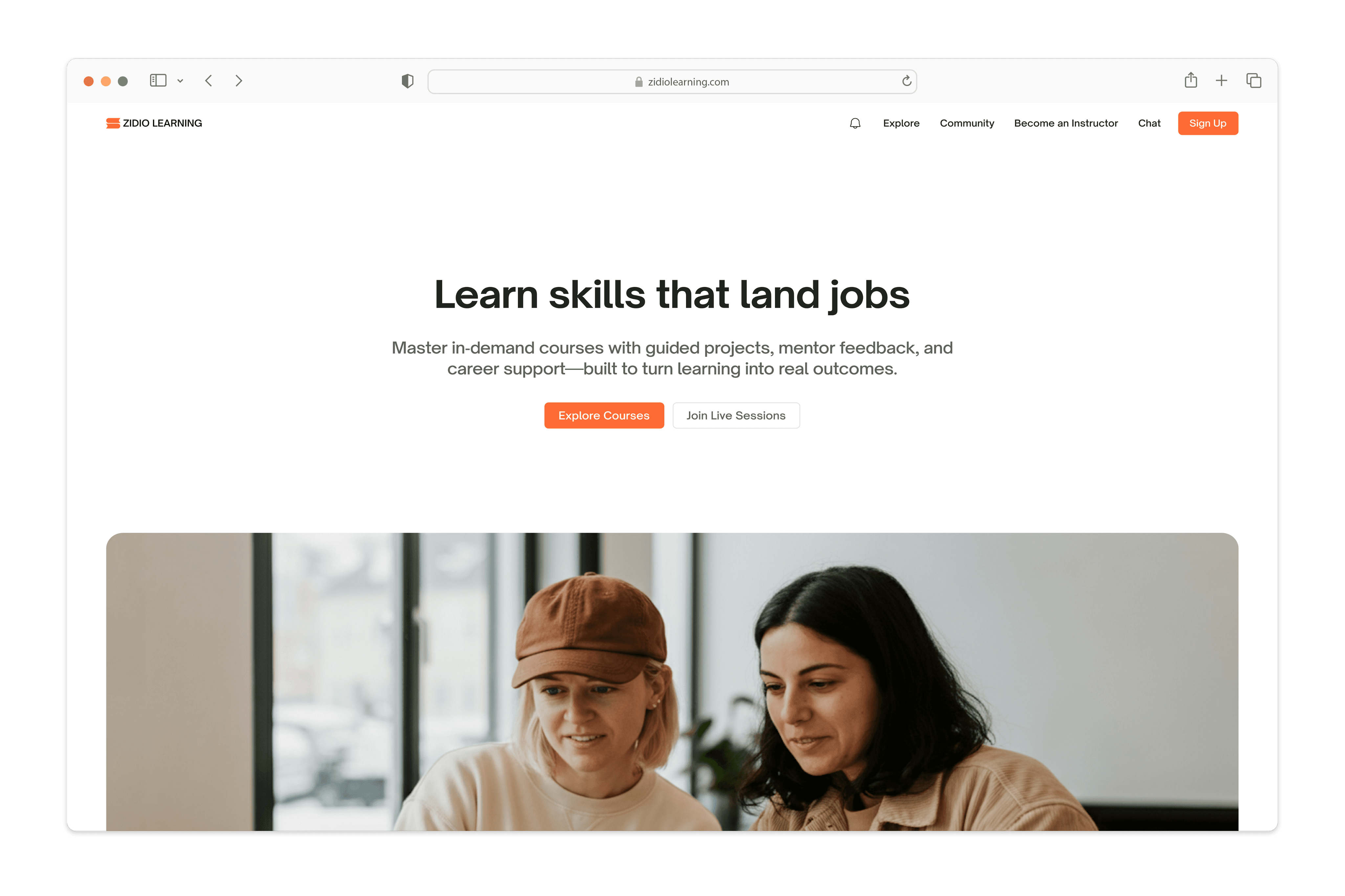
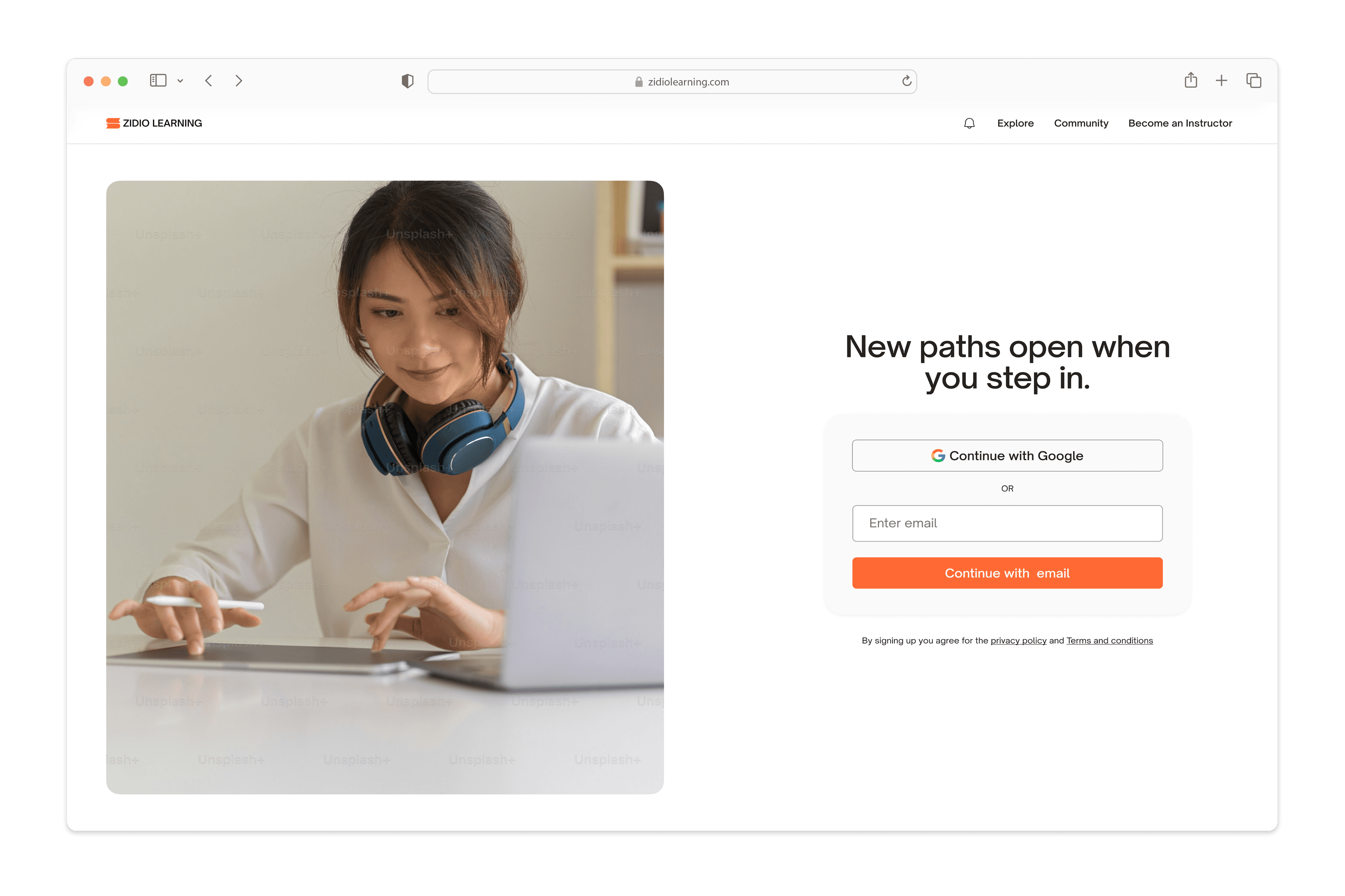
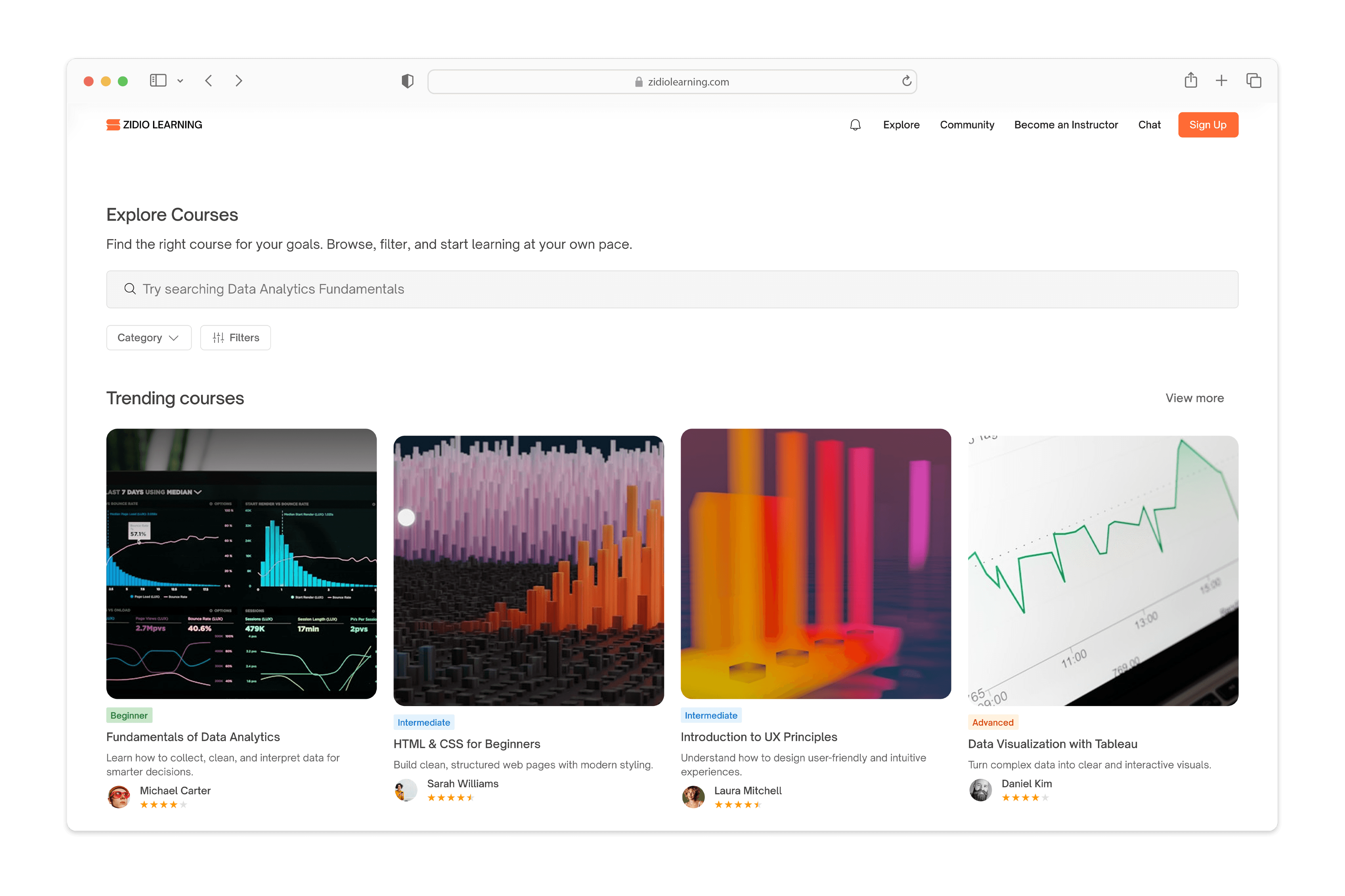
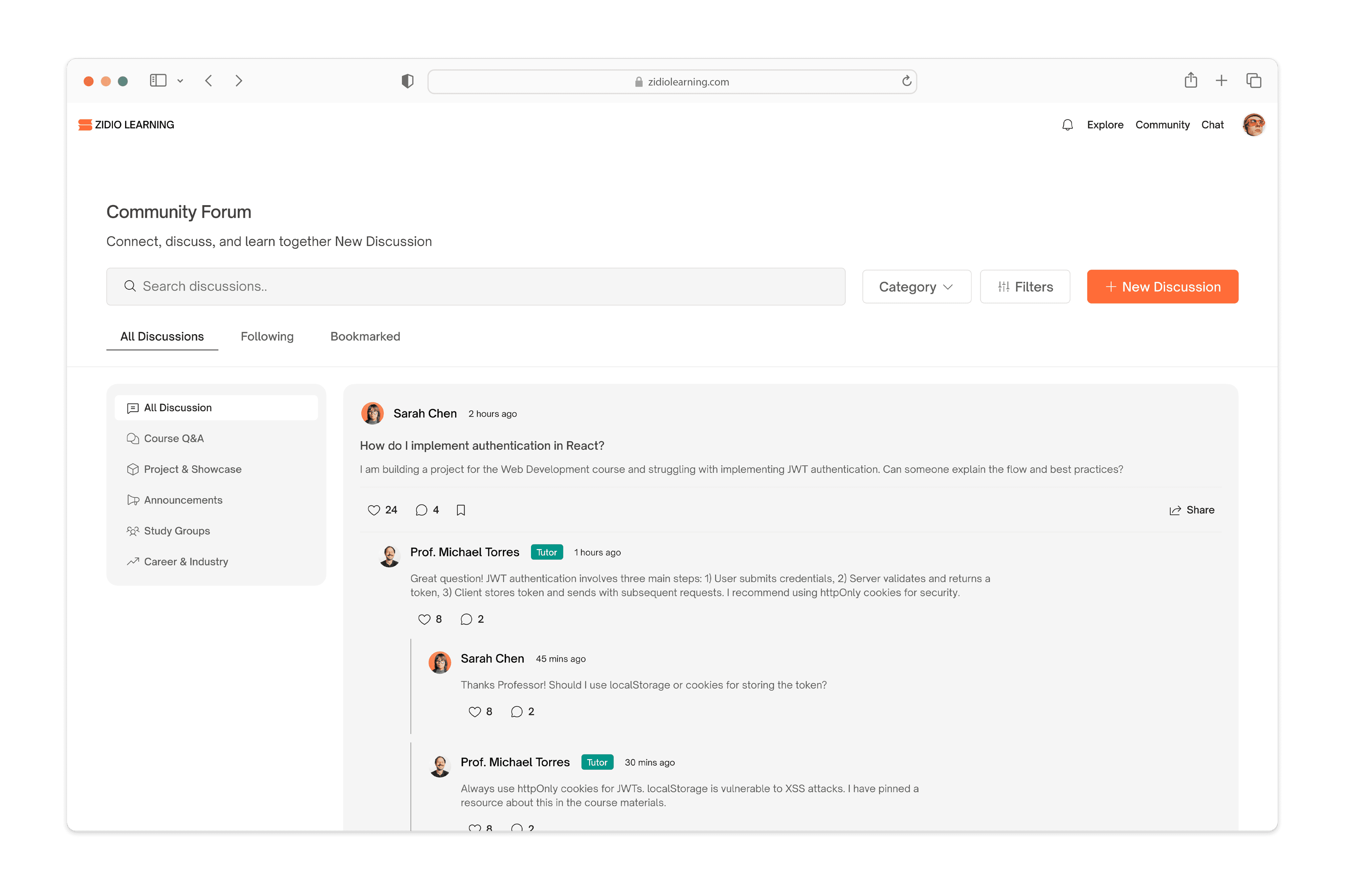
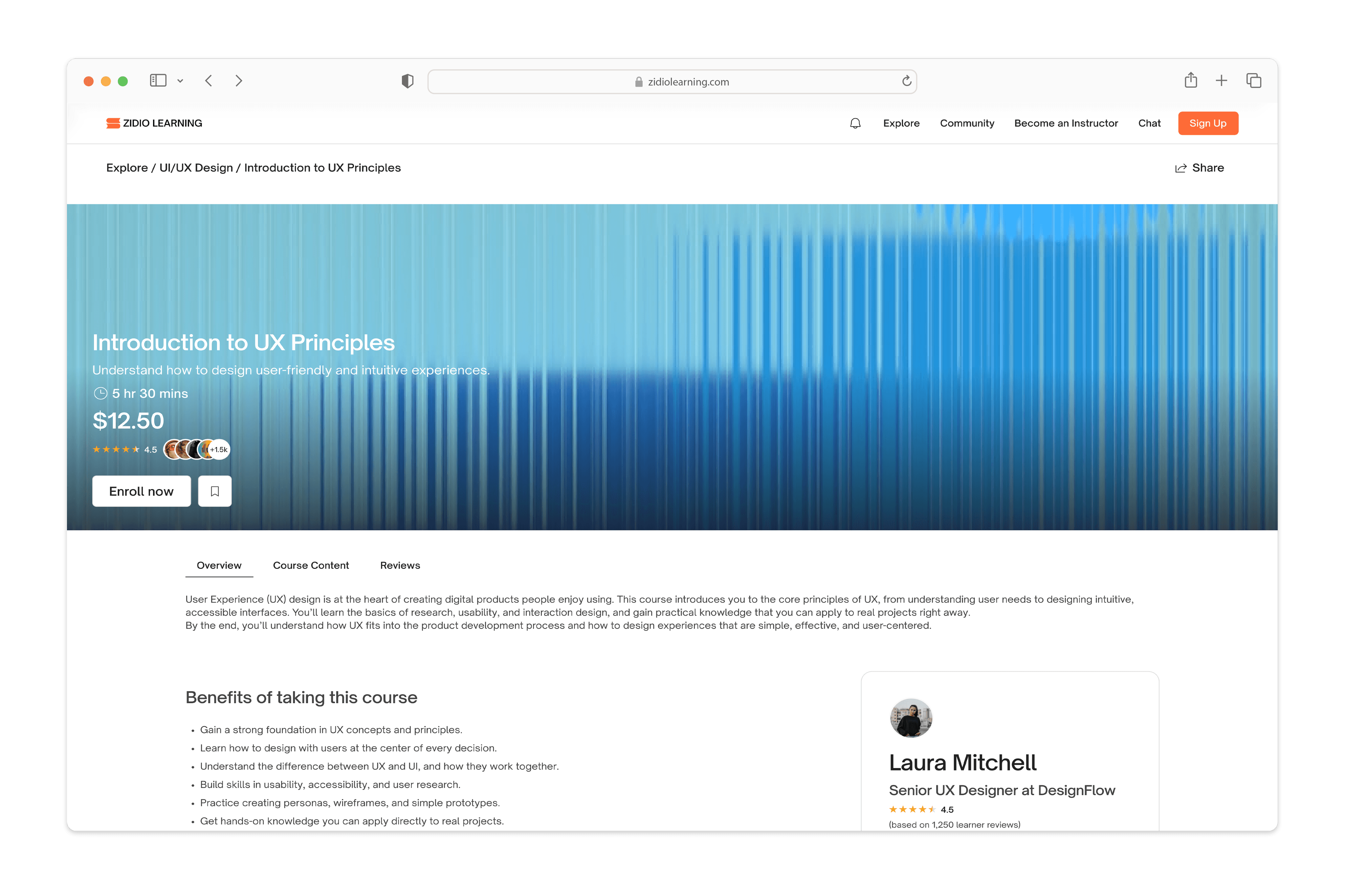
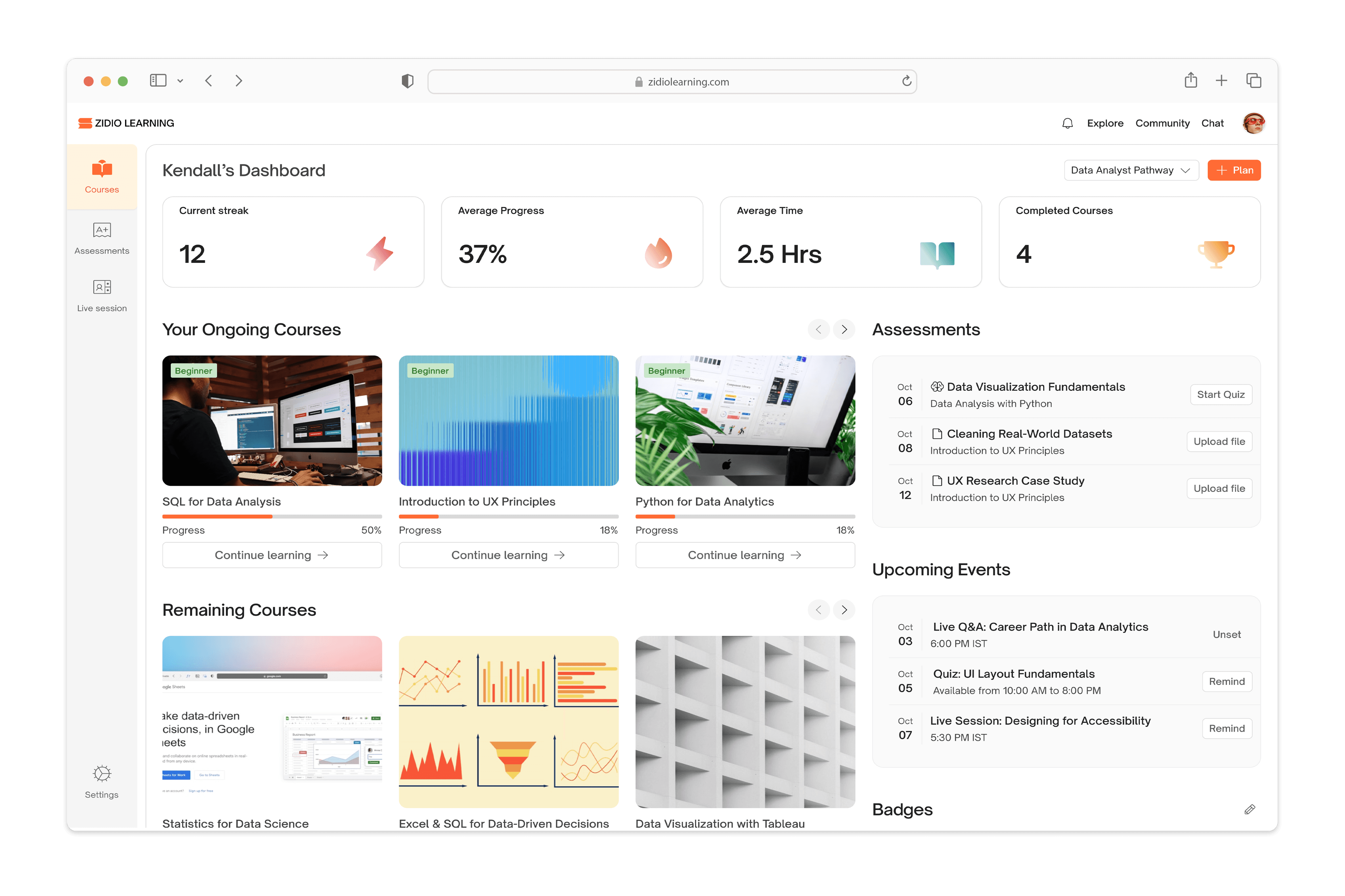
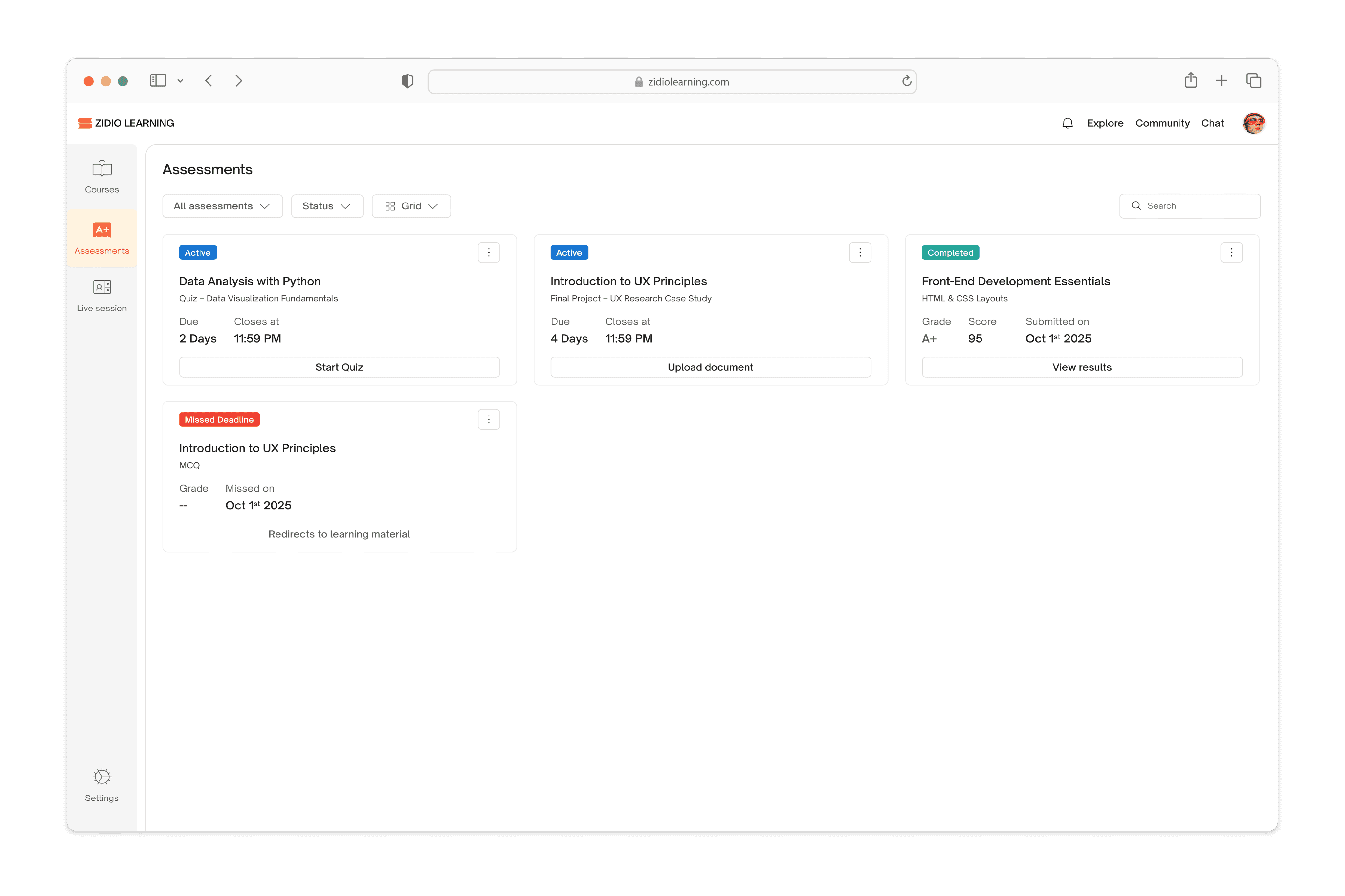
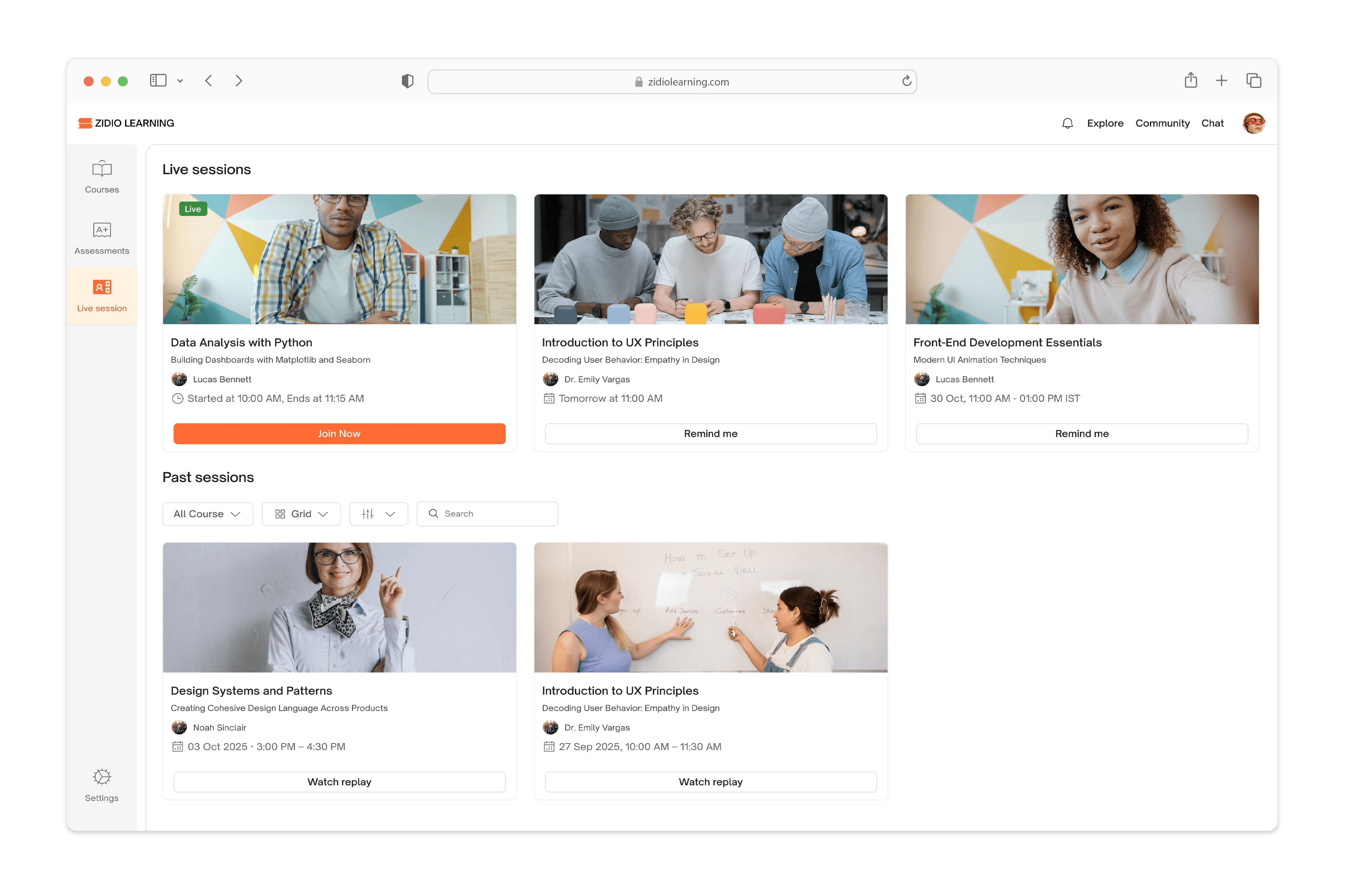
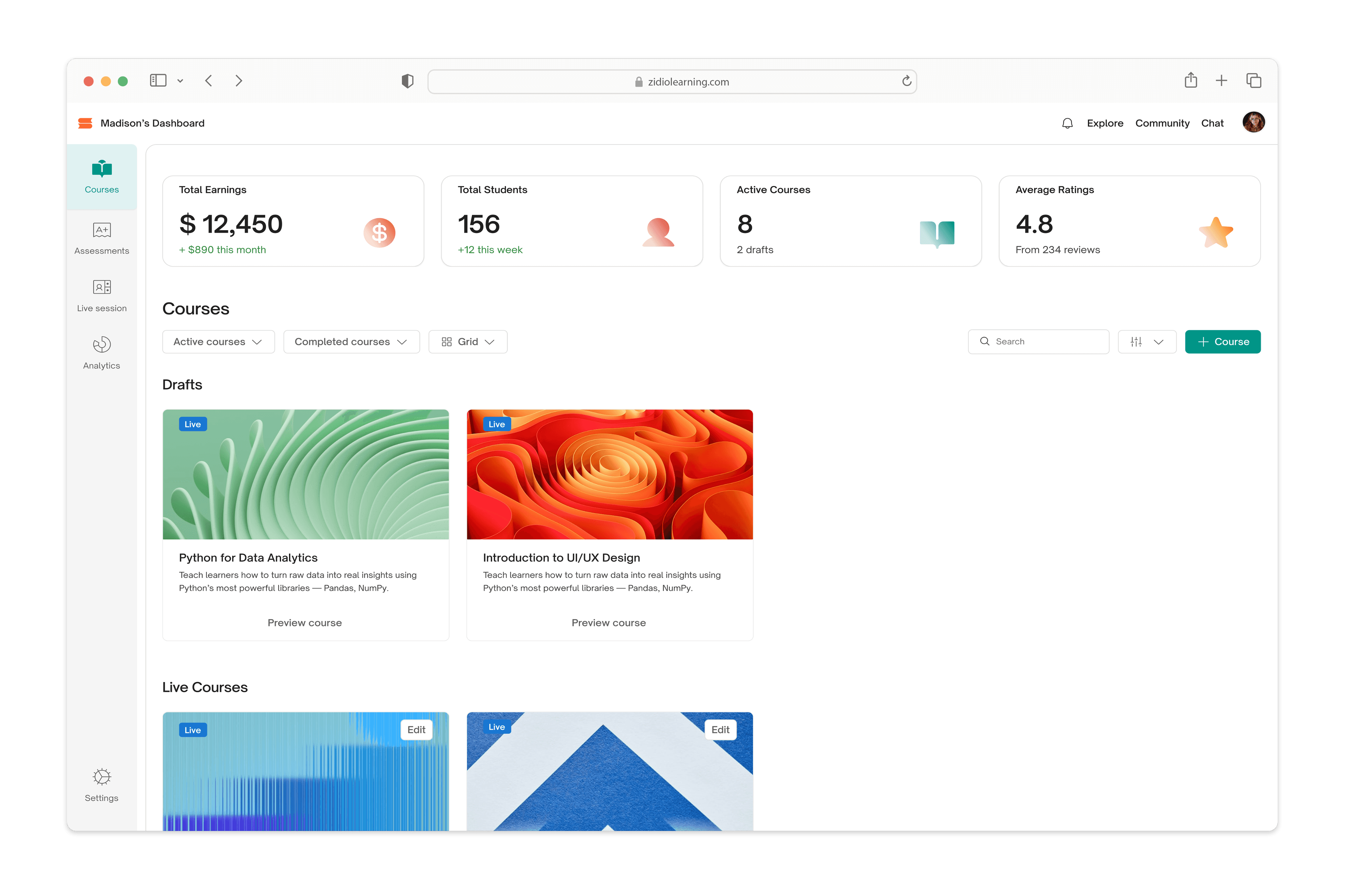
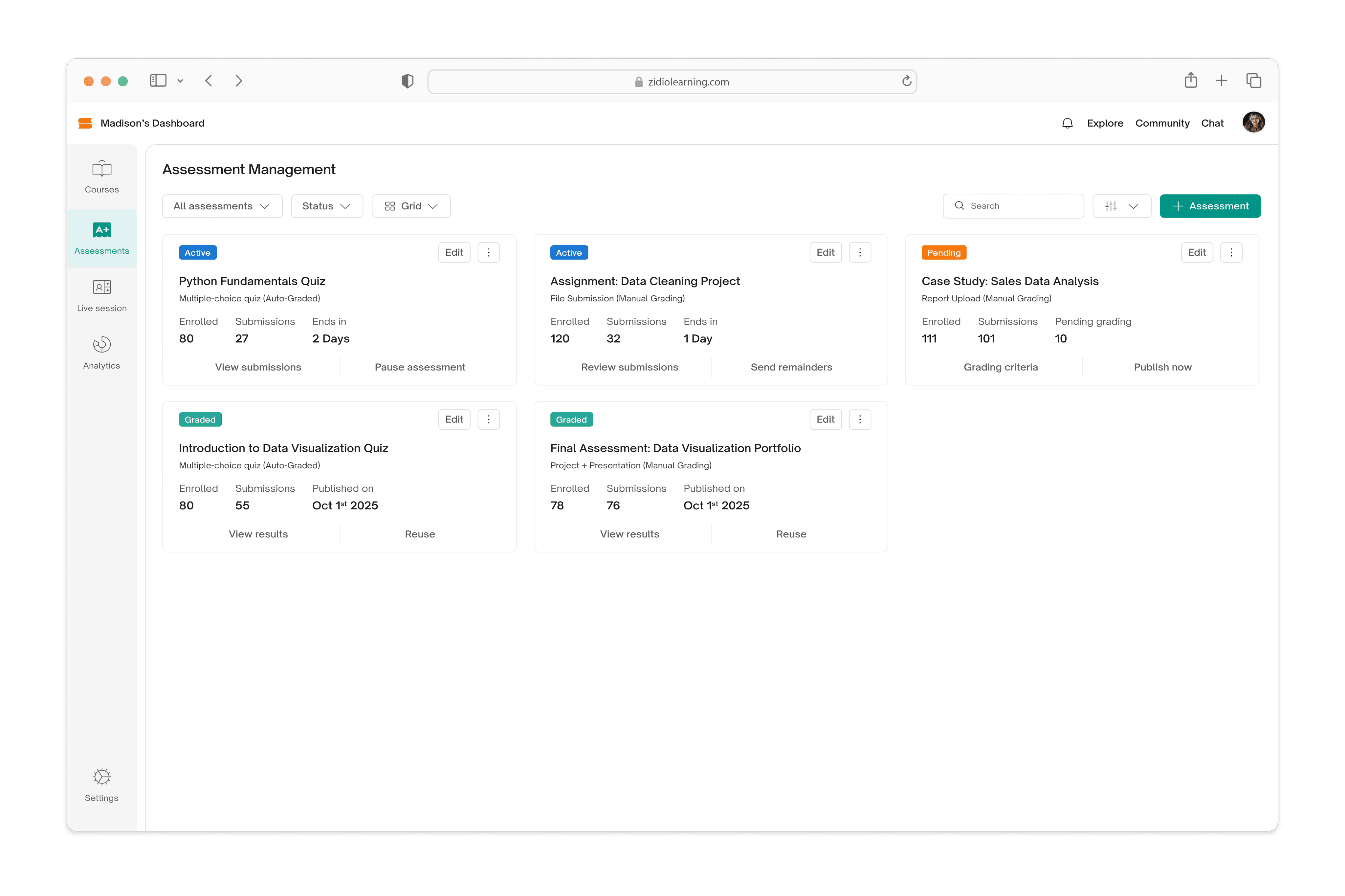
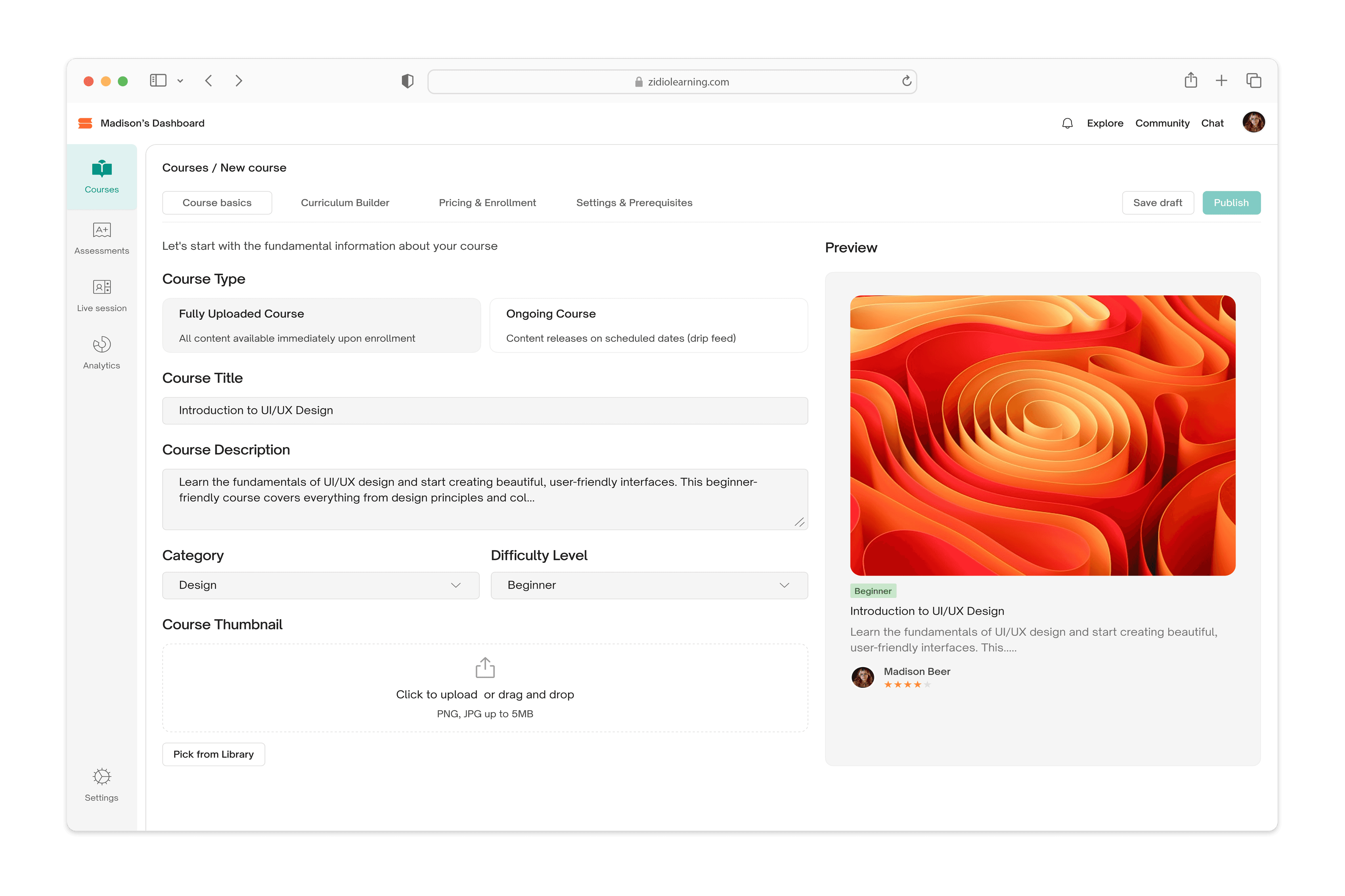
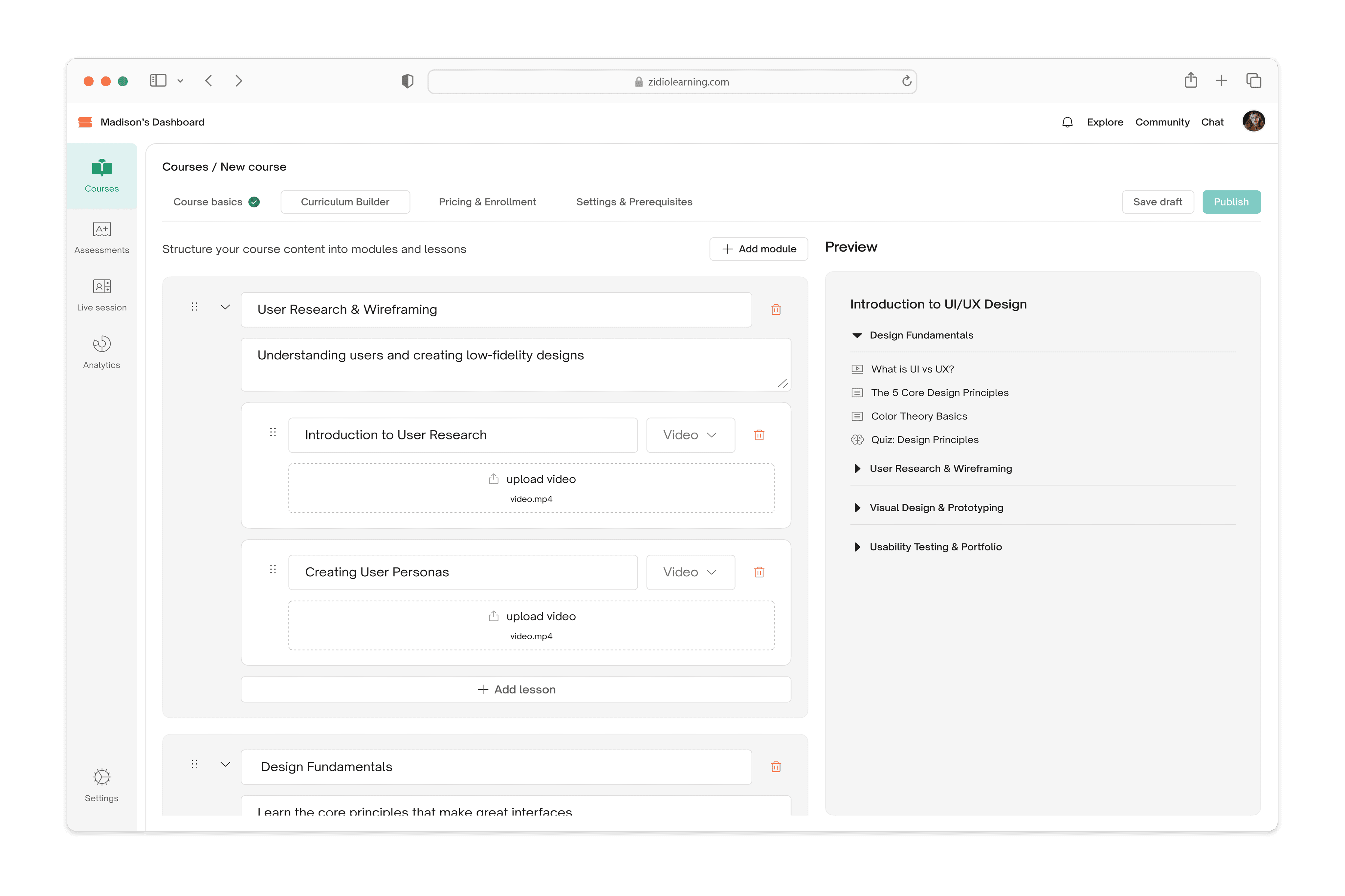
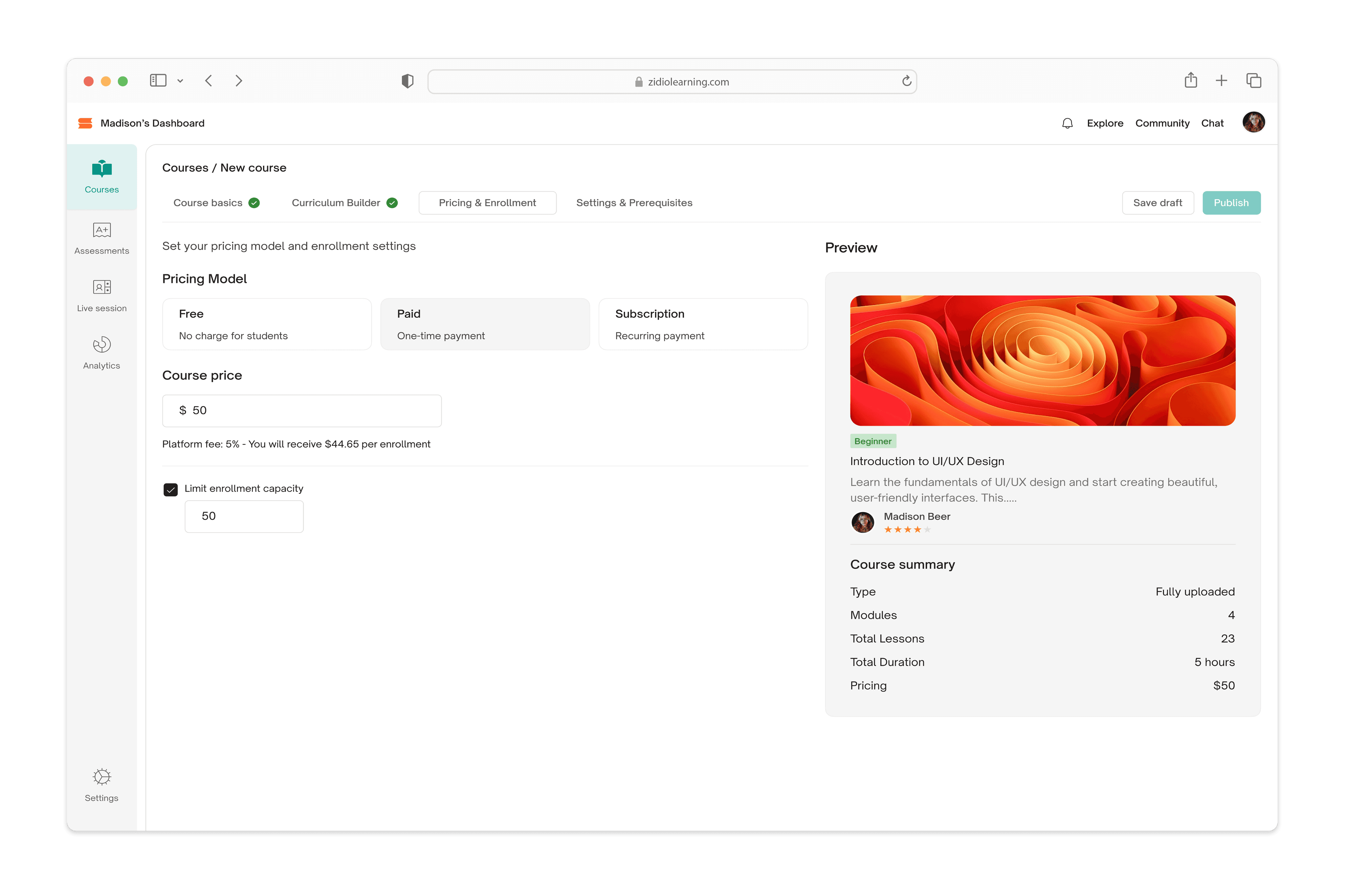
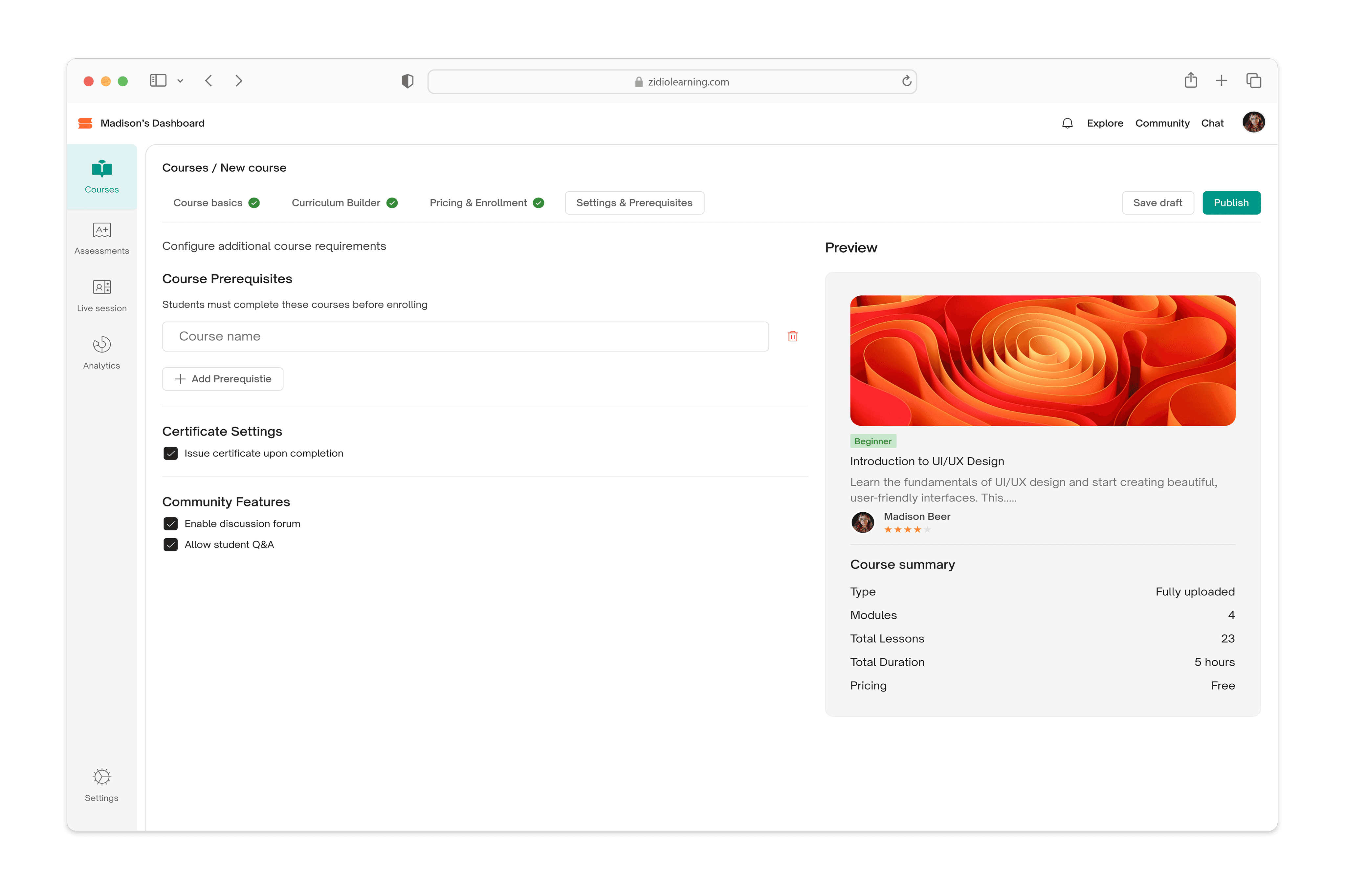
The following screens show the final high-fidelity designs after implementing feedback and iterations.
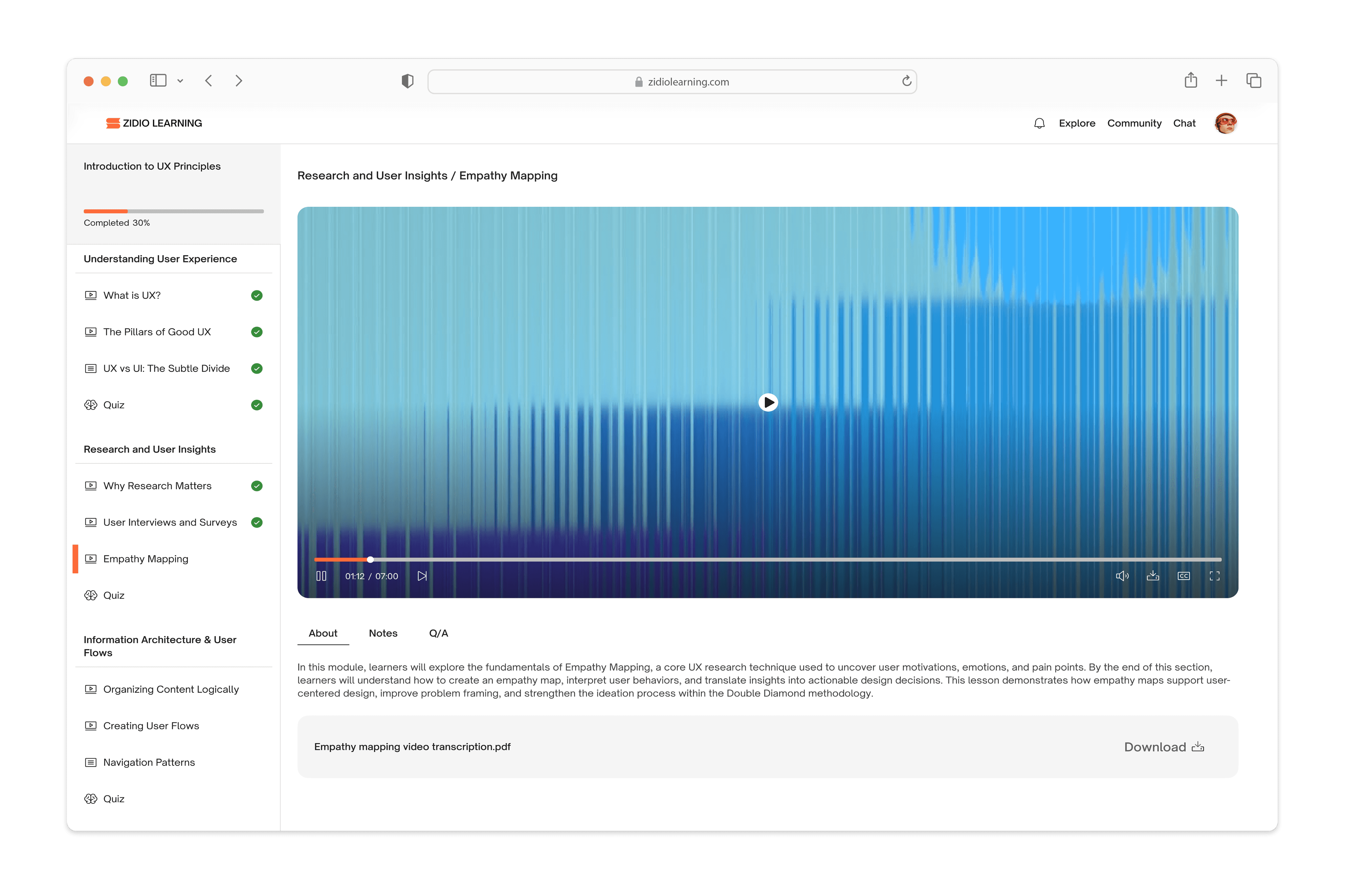
Student's Dashboard
Tutor's Dashboard
Design Validation
(07)
Due to the 12-week internship timeline and resource constraints, formal usability testing with target users was not conducted for this project. However, the design was validated through iterative mentor reviews and heuristic evaluation against established UX principles. Key design decisions were informed by competitive analysis, secondary research on online learning behaviors, and industry best practices for educational platforms. The iterative design process incorporated feedback from the internship team throughout development, resulting in refinements to navigation structure, visual hierarchy, and user flows as documented in the Prototypes section.
Final Reflection
(08)
This project taught me that design isn't about making things look good, it's about solving real problems for real people. When I designed the learning path feature, I kept thinking about Emma, overwhelmed by endless tutorials, not knowing where to start. When simplifying Sarah's course builder, I realized she doesn't need more features, she needs less friction. The hardest lesson was making tradeoffs, like choosing brand colors that don't pass accessibility standards. I learned that design isn't about perfection, it's about making thoughtful decisions and mitigating their impact.
What I wish I could have done differently? Test everything with real users. We didn't have time for formal usability testing during the 12-week internship, and I'll never know if Emma actually found the learning path intuitive or if Sarah really saves time with our platform. But I learned to work with constraints-analyzing competitor reviews and listening to mentor feedback taught me just as much. What I'm taking away isn't just a portfolio piece-it's understanding that good design happens when you care more about the person using your product than the visual polish. That's the kind of designer I want to be :)
Linked In
Resume